Coastal Flooding Website Updates for San Diego Local Businesses
A practical website checklist for San Diego businesses communicating hours, access, appointments, and service availability during coastal flooding.
Keep safety information separate from business updates
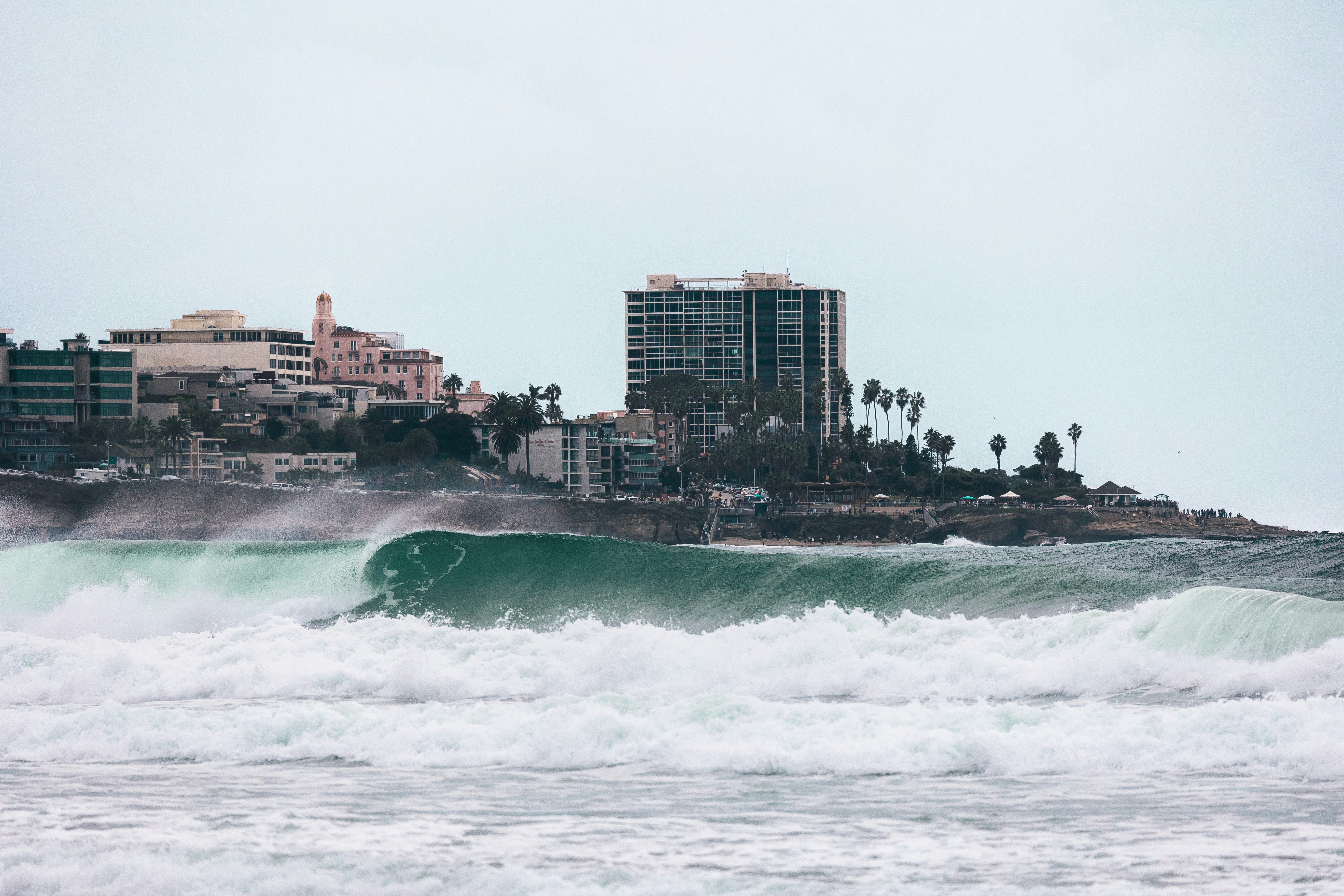
A coastal flooding warning was issued for San Diego ahead of expected high tide, according to 10News.
If conditions may affect your location, customers, employees, or service routes, direct people to official emergency and weather authorities for safety information. Your business website should help customers understand your current operations, but it should not replace official warning information.
Not every San Diego business will be affected. But businesses near the coast, in low-lying areas, along affected travel routes, or with mobile service teams may need to publish a clear, temporary update so customers can determine whether they can safely visit or still receive service.
What to put on your website during a coastal flooding warning
Use one visible update across the pages customers are most likely to visit: your homepage, contact page, booking page, and any relevant location or service-area pages.
Your update should answer six questions quickly:
- Are you open, closed, or operating with limited availability?
- What are your temporary hours?
- Can customers safely access your location?
- Has parking, pickup, or entrance access changed?
- Are appointments, deliveries, or service calls affected?
- What should customers do before they visit, book, or contact you?
The goal is not to publish a long weather report. It is to remove uncertainty.
Table of contents
- Start with a homepage alert
- Publish accurate hours and availability
- Explain access, parking, and pickup changes
- Update appointments, routes, and service areas
- Give customers one clear contact path
- Use a timestamp and remove outdated notices
- Coastal flooding website update templates
- A final publishing checklist
Start with a homepage alert
Place a short, high-visibility notice near the top of your homepage. A temporary banner works well because customers can see it before they try to call, drive over, place an order, or book an appointment.
The notice should be specific to your business. Avoid vague language such as “Weather advisory in effect” if you can tell customers what has actually changed.
Include these details
- Your current operating status
- Temporary hours, if different from normal
- Whether customers should check access before visiting
- Any appointment, delivery, or route limitations
- A link or phone number for updates
- A “last updated” time
Example homepage alert
Coastal flooding update: We are currently operating during our regular hours. Please check local conditions and confirm access before visiting. For appointment or service questions, call us at [phone number]. Last updated: [day and time].
Only publish “open as usual” if you have confirmed that it is accurate. If access may change quickly, say so.
Coastal flooding update: Our location is open with limited access at this time. Please call before heading over so we can confirm the best entrance and current availability. Last updated: [day and time].
A visible notice is especially important on mobile. Many customers will look up your business while away from home, in a vehicle, or shortly before an appointment. Your site needs to work clearly on a small screen; see why your local business website has to work on a phone first.
Publish accurate hours and availability
A warning alone does not mean your business is closed. Do not assume you need to close, and do not state that you are open if you have not verified staffing, building access, power, inventory, or route conditions.
Instead, state your current status plainly.
Use one of these operating-status labels
| If your situation is… | Say… |
|---|---|
| Operating normally | “Open during regular hours.” |
| Open with changes | “Open with limited availability” or “Operating with modified hours.” |
| Temporarily closed | “Temporarily closed today due to local conditions.” |
| Appointment-only | “Available by confirmed appointment only.” |
| Service routes affected | “Some service areas may have limited availability today.” |
| Status still being assessed | “Please call before visiting while we confirm current access.” |
Update the hours shown in your website header, contact page, booking tool, and location page if they no longer match. A banner that says “closed today” does not help much if the contact page still tells customers to visit during normal business hours.
If you use a Google Business Profile, update it as well so your website and search listing do not conflict. For more on keeping those channels aligned, read Google Business Profile and your website: how they work together to get you found.
Explain access, parking, and pickup changes
For a storefront, restaurant, clinic, salon, studio, or office, customers need practical arrival information—not general warnings.
If you know that a certain entrance, parking area, pickup location, or nearby route is unavailable, say exactly what customers should do instead. Do not direct people through an area unless you can confirm that guidance is appropriate.
Useful details to publish
- Which entrance customers should use, if it has changed
- Whether parking is limited or unavailable
- Whether curbside pickup is paused or moved
- Whether deliveries should use a different arrival point
- Whether customers should call from outside before entering
- Whether customers should reschedule rather than travel
Example access update
Visitor access update: Our main entrance remains available, but parking availability may be limited. Please allow extra time and call us before your visit if you have questions about current access.
For a business that cannot reliably confirm access:
Before visiting: Local conditions may affect travel and parking near our location. Please contact us before leaving so we can confirm whether we are able to serve you in person.
Keep this information on the page where customers look for your address and directions. Your contact page should make it easy to find a phone number, hours, and next steps without forcing people to search.
Update appointments, routes, and service areas
Coastal flooding can create uncertainty for scheduled visits, mobile service calls, deliveries, and in-home appointments. If your operations may be affected, tell customers what happens next.
Do not make customers guess whether their appointment is still on.
For appointment-based businesses
Publish a short policy for the current situation:
- Confirm whether booked appointments are proceeding.
- Tell customers whether they should wait for outreach or contact you first.
- Explain whether rescheduling is available.
- State the preferred contact method for time-sensitive changes.
- Avoid promising a new appointment time unless you can provide one.
Example:
Appointments: We are reviewing today’s schedule based on local conditions. If your appointment is affected, our team will contact you directly. If you need to reschedule or have an urgent question, please call [phone number].
For broader guidance on presenting customer-friendly cancellation expectations, see how local businesses should explain cancellation and no-show policies on their websites.
For home-service and mobile businesses
A coastal flooding warning may affect travel routes or specific service areas. If that applies, update the relevant service pages or service-area pages—not just the homepage.
Be clear about what you know:
Service-area update: We are continuing scheduled service where travel conditions allow. Some appointments in affected areas may need to be adjusted. Please call us to confirm availability for your address.
Do not write that you serve “all of San Diego” during a weather event unless you can verify it. A location-specific update is more useful than a broad promise you may need to reverse.
For delivery, pickup, and food businesses
Customers need an answer to three questions: Can I order? Can I pick up? Can you deliver?
If one option is temporarily unavailable, state that directly:
Order update: Online ordering is available for pickup. Delivery availability may vary by location and current route conditions. Please review your order confirmation or contact us before traveling.
Give customers one clear contact path
During a time-sensitive weather warning, too many contact options can slow people down. Choose the fastest channel your team can actually monitor, then make that option prominent.
Depending on your operations, that may be:
- A phone number for urgent access or appointment questions
- A booking page for rescheduling
- A contact form for non-urgent requests
- A clearly labeled email address
- A temporary status page linked from the homepage
If you use a contact form, add a short note setting expectations:
For time-sensitive questions about today’s access or appointments, please call us rather than using this form.
Do not tell customers to use a channel you cannot check. If phones are not being answered, remove “Call now for immediate help” from the update and provide the next-best available option.
Use a timestamp and remove outdated notices
Temporary updates become confusing when they stay up after conditions change.
Every coastal flooding notice should include a timestamp, such as:
Last updated: Tuesday, 2:30 p.m.
That helps customers understand whether they are reading current information. It also gives your team a simple process: review the notice, update the time if it is still accurate, revise it if operations changed, or remove it when it is no longer needed.
A simple follow-up schedule
- Publish the first update when you confirm an operational change or likely uncertainty.
- Recheck it when your hours, access, service areas, or appointments change.
- Update your website and Google Business Profile together when possible.
- Remove or replace the alert after operations return to normal.
- Review any temporary booking messages, pop-ups, or contact-page notices so none remain outdated.
When you are ready to resume normal operations, use a clear reopening message rather than silently deleting every reference to the disruption. This local business website reopening checklist can help you review hours, booking availability, contact information, and temporary notices.
Coastal flooding website update templates
Use these as starting points, then replace the brackets with details you have verified.
Template: Open with a travel reminder
Coastal flooding update: [Business name] is currently open during regular hours. Local conditions may affect travel, parking, or access near our location. Please check official weather and emergency information before traveling, and call [phone number] with questions about your visit. Last updated: [day and time].
Template: Modified hours
Temporary hours update: Due to local conditions, our hours for [day/date] are [hours]. We will share another update here if availability changes. For questions about an appointment or order, contact us at [phone number]. Last updated: [day and time].
Template: Limited in-person access
In-person access update: Our ability to serve walk-in customers may be limited at this time. Please call [phone number] before visiting so we can confirm current access and availability. Last updated: [day and time].
Template: Appointments may change
Appointment update: We are monitoring local conditions and reviewing today’s appointments. If your appointment needs to change, our team will contact you directly. To request a reschedule, call [phone number] or use [booking link]. Last updated: [day and time].
Template: Service-area limitations
Service availability update: We are continuing service where conditions allow. Availability may be limited in some areas, and scheduled arrival times may change. Contact us with your address and preferred service time so we can confirm availability. Last updated: [day and time].
Template: Temporary closure
Temporary closure: [Business name] is temporarily closed on [day/date]. We will update this page when we can confirm reopening information. For existing appointments or orders, contact us at [phone number]. Last updated: [day and time].
A final publishing checklist
Before publishing your update, confirm that it:
- Reflects your actual operating status
- Uses specific hours rather than “closed until further notice,” when possible
- Tells visitors whether to call before traveling
- Explains any known parking, entrance, pickup, or route changes
- Addresses appointments, deliveries, or service calls when relevant
- Gives customers one monitored contact method
- Includes a visible timestamp
- Appears on mobile without requiring excessive scrolling
- Matches the hours and availability shown on your Google Business Profile
- Directs people to official emergency and weather authorities for safety information
- Has a reminder for your team to review or remove it later
A short, accurate update can make it easier for customers to decide what to do next without treating your business website as an emergency-information source.
Keep your website ready for the next operational change
Weather-related updates are much easier when your website has clear hours, contact details, service-area information, and a simple way to add a temporary homepage notice.
StoopCraft builds websites for local businesses and includes on-page SEO as part of its $99/month service. If you want a site that is easier to keep current when operations change, visit StoopCraft.


