How Local Auto Dealers Should Update Their Website for a New Vehicle Launch
A practical website-update checklist for local auto dealers when a newly announced vehicle begins attracting shopper interest.
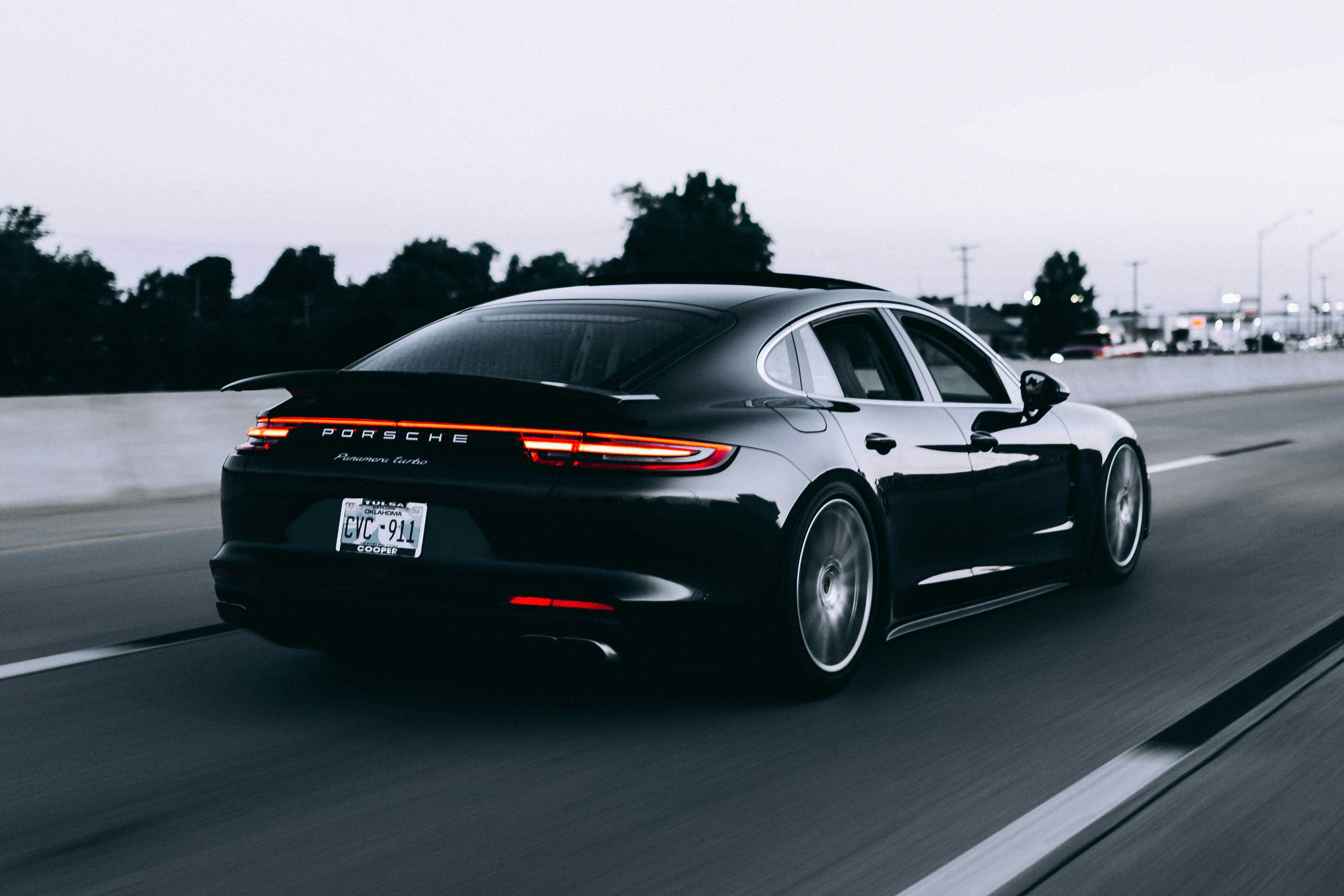
A vehicle announcement is a reason to review your website—not publish guesses
National coverage of a new model can prompt local shoppers to look for more information, compare options, and check whether nearby dealers can help. CNBC has reported on Hyundai’s new flagship Genesis EV, while Car and Driver has published exterior images of the 2027 Genesis GV90. CNBC and Car and Driver are useful examples of the kind of coverage that may lead shoppers to dealership websites.
That does not mean the vehicle is available locally, that a dealership will receive a surge of inquiries, or that a new page will automatically generate leads. But it does mean dealers should prepare a clear, accurate path for shoppers who arrive with questions.
The goal is simple: publish what is confirmed, clearly label what is not, and give interested shoppers an easy next step.
Table of contents
- Start with the correct availability status
- Build one useful model page
- Use language that does not overpromise
- Give shoppers a clear inquiry path
- Connect the launch page to inventory and financing
- Create a process before inquiries arrive
- Review the page before publishing
- Key takeaways
Start with the correct availability status
The most important update is not a photo gallery or a bold banner. It is an accurate statement of status.
A newly revealed model can be in several very different stages:
- Announced or revealed: The manufacturer has shared information, but the vehicle is not yet available to order or purchase through your dealership.
- Expected: Your dealership expects more information or future availability, but details such as timing, trims, pricing, and allocation may still be unconfirmed.
- Available to inquire about: Your team can discuss the model or collect interest, but the vehicle may not be in stock.
- In stock: A specific vehicle is physically available, subject to the dealer’s current inventory status.
- Sold or incoming: A particular unit has been sold, is reserved, or is expected to arrive, but is not currently available for purchase.
Do not use “available now,” “reserve yours,” “starting at,” or “in stock” unless your dealership has verified that claim. A shopper who discovers that the page overstated availability may leave rather than contact your team.
Use a plain-language status notice
Place a short status note near the top of the model page, before detailed copy or calls to action.
For an announced vehicle:
The [Model Name] has been announced by the manufacturer. Local availability, timing, specifications, and pricing have not yet been confirmed. Contact us to ask about future updates.
For a vehicle your dealership expects but cannot yet confirm:
We are monitoring updates on the [Model Name]. Availability and vehicle details may change. Contact our team for the latest information we can verify.
For an in-stock vehicle:
This [Model Name] is currently listed in our inventory. Availability can change, so please contact us to confirm before visiting.
These statements may feel less promotional than a launch headline, but they set the right expectation—and give your sales team a cleaner starting point.
Build one useful model page
A launch page should answer the questions a shopper is likely to have after seeing news coverage, without becoming a repository for rumors, speculative specifications, or copied manufacturer language.
A practical page can include the following sections.
1. A specific page title and page introduction
Create a dedicated URL for the model rather than sending all launch-related visitors to a generic homepage or new-vehicle inventory page.
A page title could follow this format:
[Model Name] Information and Availability Updates | [Dealership Name]
The opening paragraph should identify the vehicle and explain what the page covers. Keep it grounded in confirmed facts.
For example:
Learn about verified updates for the [Model Name], including local availability information, confirmed vehicle details, and ways to contact our team with questions.
Avoid writing an introduction that assumes the vehicle is already on your lot.
2. Verified vehicle details only
Use specifications, photos, trim information, range estimates, equipment lists, and manufacturer-provided descriptions only after they have been verified through an appropriate manufacturer or dealership source.
Before publication, assign someone to confirm:
- Model year and vehicle name
- Confirmed exterior and interior images
- Available trims, if officially announced
- Confirmed specifications
- Pricing information, if officially released
- Incentives, if applicable and verified
- Local availability language
- Links to official model resources
If an important detail is not confirmed, leave it out or say that details are still being confirmed. An incomplete but accurate page is more useful than a detailed page that needs repeated corrections.
3. Real photos with clear labels
Photos help shoppers recognize the vehicle they saw in coverage. But imagery needs context.
Label images accurately, especially when they show a manufacturer-provided vehicle rather than an actual unit at your dealership. Do not present an editorial image, concept image, or manufacturer photo as local inventory.
Useful captions include:
- “Manufacturer-provided exterior image”
- “Vehicle shown for illustration; local availability may vary”
- “Contact our team to confirm current inventory and vehicle details”
For a broader approach to choosing images that build confidence, see Why Real Photos Sell Your Local Business Better Than Stock.
4. A short, dealer-specific section
This is where the page becomes locally useful. Explain what a shopper can do with your dealership today—not what you hope will happen later.
That may include:
- Asking for confirmed availability updates
- Discussing comparable in-stock vehicles
- Sharing preferred trim, color, or timing with your team
- Scheduling a conversation about current options
- Viewing your current new-vehicle inventory
Do not create an inquiry form that suggests a confirmed reservation process unless your dealership actually offers one and has verified its terms.
Use language that does not overpromise
A new-model page can lose credibility quickly through vague or overly confident copy. The wording around price, timing, incentives, financing, and availability deserves extra review.
Pricing language
If pricing has not been officially verified, do not add an estimate just to fill the page. Avoid statements such as “pricing starts at,” “affordable luxury,” or “expected lease offers” unless those claims are current and confirmed.
When you do publish verified pricing information, add a plain disclaimer appropriate to the information you are displaying. For example:
Pricing, incentives, and availability are subject to change. Contact our team to confirm current details.
That is not a substitute for your dealership’s own approved pricing disclosures. Have the appropriate team review any terms, payment examples, offers, or required disclosures before publishing.
Financing language
A launch page can link to your financing page or contact process, but do not imply that financing has been approved, that a particular payment is available, or that future-model incentives are guaranteed.
Use careful language such as:
Have financing questions? Contact our team to discuss currently available options and confirm details for the vehicle you are considering.
Delivery and arrival language
Avoid announcing delivery dates based on assumptions. If your dealership does not have a confirmed date, say so.
Better:
Contact us for the latest availability information we can confirm.
Not:
Arriving soon
Be first in line
Deliveries begin this fall
Those phrases can become inaccurate quickly, particularly when manufacturer plans, allocation, and shipping timelines change.
Give shoppers a clear inquiry path
A visitor who wants launch information should not need to hunt through the site for a phone number or complete a generic “Contact Us” form with no relevant options.
Use one primary action on the model page, such as:
- “Ask About [Model Name]”
- “Request Availability Updates”
- “Talk With Our Team”
- “View Current Inventory”
Keep the form short. A useful launch-inquiry form may ask for:
- Name
- Preferred contact method
- Email address or phone number
- Model of interest
- Optional question or preferred timing
If a shopper is interested in a vehicle that is not confirmed as in stock, do not require them to select an exact VIN, exact payment, or delivery date.
After submission, show a thank-you message that tells the shopper what happens next without promising a timeline your team cannot consistently meet. For ideas, read What to Put on a Local Business Website Thank-You Page After a Form Submission.
Also test the form on a phone. Launch coverage often reaches shoppers through social media, news apps, and mobile search. A page that looks good on desktop but has a difficult form on mobile can create unnecessary friction. See Why Your Local Business Website Has to Work on a Phone First.
Connect the launch page to inventory and financing
A new-model page should not become a dead end. Give visitors options based on what is actually available.
Link to current inventory
If the model is not in stock, link to relevant inventory categories such as:
- Current new inventory
- Available electric vehicles
- Similar SUVs or luxury models
- Certified pre-owned inventory, where relevant
Use honest labels. “View similar vehicles currently in stock” is clearer than sending visitors to a broad inventory page without explanation.
If the model is in stock, link directly to the relevant inventory listing and make sure the listing itself is current.
Keep inventory and model content separate
The model-information page explains the vehicle and its status. Individual inventory pages describe actual units. Do not copy a general launch announcement into every inventory listing, and do not use one inventory listing as proof that every trim or configuration is available.
This separation helps shoppers understand the difference between learning about a model and selecting a specific vehicle.
Make contact information easy to find
Your phone number, dealership location, hours, and contact path should be consistent across the model page, contact page, and Google Business Profile. Review Google Business Profile and Your Website: How They Work Together to Get You Found for a practical overview of keeping those local touchpoints aligned.
Create a process before inquiries arrive
Interest in a newly announced vehicle may lead to inquiries. Preparation matters more than predicting how many will come in.
Before publishing, align the website, sales team, and whoever maintains inventory information.
Create a simple launch-information sheet
Give the people answering calls, forms, and chats one current source of truth that includes:
- Confirmed model information
- Approved availability language
- What is still unknown
- Which comparable vehicles are available now
- The correct response for pricing questions
- The correct response for timing questions
- Who updates the website when information changes
This helps prevent one employee from saying “coming soon” while the website says “ask for updates.”
Decide who owns updates
New-vehicle details can change. Assign a specific person or team to check and update:
- Availability status
- Inventory links
- Incentive or pricing language
- Forms and automated replies
- Photos and captions
- Frequently asked questions from shoppers
A monthly site-maintenance routine is helpful, but a launch page may need more frequent review when new information is arriving. Use this local business website maintenance checklist as a starting point for recurring reviews.
Plan the follow-up handoff
If inquiries rise, your staff should know where they go and how they are tracked. The website does not need to promise an instant response to be useful; it needs a reliable process behind it.
Review Local Business Lead Follow-Up Checklist: What to Do After a Website Inquiry to map the handoff from submitted form to human follow-up.
Review the page before publishing
Use this checklist before making a launch page public:
- [ ] The model name and year are correct.
- [ ] Every specification, image, pricing statement, incentive, and availability claim has been verified.
- [ ] Announced, expected, and in-stock status are clearly distinguished.
- [ ] Images are accurately labeled and do not imply local inventory when they are not local inventory.
- [ ] The page includes a straightforward inquiry option.
- [ ] The form works on mobile.
- [ ] The thank-you message explains the next step without an unsupported promise.
- [ ] Inventory links point to live, relevant pages.
- [ ] Pricing and financing language has been reviewed by the appropriate dealership team.
- [ ] A person is responsible for checking the page as information changes.
- [ ] The page includes your current contact details.
Key takeaways
A vehicle reveal can create a useful reason to improve a dealership website, but the work should be based on verified information rather than assumptions.
- Build a dedicated model page when there is enough confirmed information to make it useful.
- State whether the vehicle is announced, expected, available to inquire about, or in stock.
- Do not publish unverified pricing, incentives, specifications, delivery dates, or reservation claims.
- Give shoppers a simple way to ask questions and a clear path to currently available inventory.
- Prepare your sales team and website owner with the same approved information before publishing.
- Revisit the page as official details and local availability change.
Keep your dealership website ready for the next update
A model launch page is only one part of a website that needs accurate information, clear calls to action, and mobile-friendly contact paths. StoopCraft builds done-for-you websites for local businesses and includes on-page SEO as part of its $99/month service. Visit StoopCraft to see whether it is a fit for your dealership’s website needs.


