Why Real Photos Sell Your Local Business Better Than Stock
Stock photos quietly cost you trust. Here's what to actually photograph — your team, your work, your space — and how to shoot it well with just a phone.
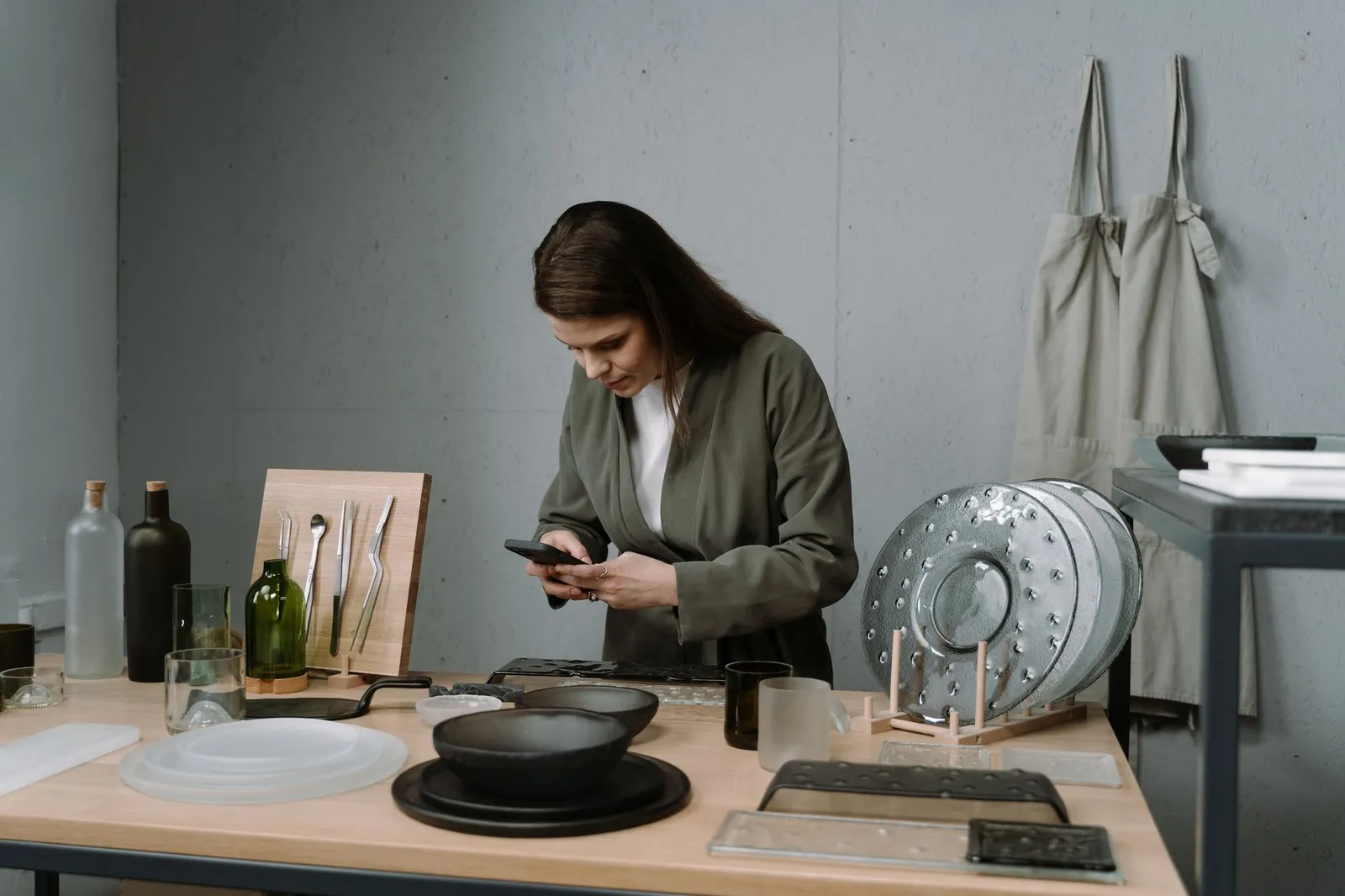
A visitor lands on your website and, before they've read a single word, they've already made a snap judgment about how real and established the business looks. A lot of that judgment comes from your photos — and it happens fast enough that most people couldn't explain how they got there.
Here's the problem: the same handful of stock photos show up on thousands of contractor, salon, and restaurant sites. The generic handshake. The multi-ethnic office team that's never met. The suspiciously perfect toolbelt shot. Most visitors can't name what's off about it, but they can feel it — and that feeling reads as "this business didn't bother to show me the real thing." For a local business, where the whole pitch is we're the real people doing this work in your area, that's the opposite of the impression you want to make.
Why a stock photo works against you
A stranger from Google has no relationship with you yet. Your photos are one of the fastest ways to either build that relationship or quietly undermine it.
Real photos do three things stock photos can't:
- They prove you exist and do the work. A photo of your actual crew, your actual shop, or your actual finished job is evidence. A stock photo is just an image — anyone could use it.
- They set accurate expectations. If a customer books based on a stock photo of a spa and walks into something that looks nothing like it, that gap becomes a complaint before you've even done the work.
- They differentiate you from every competitor using the same image library. Conversion researchers at CXL have pointed out that real, specific photos tend to build more trust than generic stock imagery — because specificity is exactly what stock photography can't offer.
None of this means your photos need to look professionally lit and color-graded. It means they need to be yours. A slightly imperfect photo of your actual van, taken on your phone in your actual parking lot, will do more for a local visitor's trust than a flawless stock image of a van that isn't yours.
What to actually photograph
You don't need a shot list with fifty items. You need a handful of categories covered well.
Your team and the owner
A face people can recognize before they call. If you're a one-person operation, that's a photo of you — not a logo, not an icon, not a silhouette. If you have a crew, a simple group photo works fine. Customers hiring a local business are hiring people, and a real face lowers the guard a stranger naturally has.
Work in progress
Photos of the actual job happening — mid-install, mid-cut, mid-plate-up — show competence in a way finished shots alone don't. They also make your services page feel like it's describing something you actually do, not a generic list of offerings.
Finished results
The clean, well-lit shot of the completed kitchen, the finished haircut, the plated dish. This is what most galleries default to, and it earns its place — just make sure it's your own recent work, not a photo pulled from somewhere else.
Real before-and-afters
If your work has a visible transformation — remodeling, landscaping, restoration, detailing — a genuine before-and-after pair is one of the most persuasive things you can put on a page. The operative word is genuine: the same job, the same angle where possible, no swapping in someone else's more dramatic result. A believable before-and-after beats an impressive one that isn't real.
Your truck, storefront, or shop
For a local business, this is location proof. It tells a visitor you're a physical presence in their area, not a name on a directory listing. A clean photo of your storefront, sign, or branded vehicle does more here than it might seem.
Happy-customer moments — with permission
A customer picking up their car, a couple at their table, a family in their finished backyard. These humanize the business on the other side of the transaction. Always get a quick okay before you post someone's photo — most customers are glad to be featured, but it should never be a surprise to them.
If you're not sure where to start
Photograph your next three jobs from start to finish: one shot before you begin, two or three mid-work, and a clean final shot. That single sequence gives you a before/after pair, a work-in-progress photo, and a finished-result photo — three of the six categories above from one job.
How to shoot decent photos with just your phone
You don't need a camera kit. You need a few habits.
Shoot in landscape, not portrait, for anything that might become a hero image or a wide banner. Most website layouts are built wide, and a portrait photo forces an awkward crop later.
Use daylight when you can. Open a garage door, shoot near a window, or step outside rather than relying on overhead fluorescent light or your phone's flash. Flash tends to flatten a photo and cast harsh shadows.
Turn off portrait mode for work and product shots. The artificial background blur looks convincing on a person but often looks broken on tools, food, or finished surfaces — edges blur that shouldn't.
Clean up the frame before you shoot. Move the stray cords, the empty coffee cup, and the clutter out of frame. You don't need a styled set, just an uncluttered one.
Hold the phone level and get close enough that the subject fills the frame. A photo taken from across the room, at an angle, rarely reads as intentional.
Take more than you need. Five quick shots from slightly different angles cost nothing and give you a real choice later, instead of being stuck with the one blurry frame you took.
Keep your editing light and consistent. A slight brightness or crop adjustment is fine. Heavy filters make photos look more like a stock library and less like your actual business — the opposite of what you're going for.
Where each type of photo belongs on your site
Photos work best when they're placed where a visitor is making a specific decision, not scattered randomly across the page.
- Hero (top of homepage): your strongest, most specific image — your actual work or your actual storefront, not a generic wide shot of a skyline or an abstract texture. This is the first trust signal a visitor sees.
- Services pages: work-in-progress and finished-result photos next to the relevant service description, so a visitor can see exactly what they'd be paying for.
- Gallery: your best finished-result and before-and-after photos, organized so a visitor can browse work similar to what they need done.
- About / team page: your owner and team photos, plus a shot of your shop or vehicle if you have one. This is where a stranger goes to answer "who am I actually dealing with."
- Near your contact form or phone number: a customer-moment or team photo close to your main call to action reinforces trust at the exact point someone is deciding whether to reach out.
If you only have time to fix one placement first, make it the hero. It's the highest-visibility spot on the page, and a real photo there sets the tone for how much a visitor trusts everything that follows — including the copy and calls to action around it.
The one rule that matters more than the camera
Never present a photo as your work when it isn't. That covers stock photos dressed up as your job site, a competitor's or supplier's photo pulled from Google Images, and before-and-after pairs that don't show the same actual job. It also covers reviews or testimonials attached to photos of people who didn't say them.
This isn't just an ethics point — it's a practical one. Plenty of customers can spot stock photography on sight, and a business caught passing off someone else's work as its own loses far more trust than it ever gains from looking polished. A slightly rough real photo will usually outperform a beautiful fake one, because the moment a visitor senses something's staged, they start questioning everything else on the page too — your reviews, your claims, your prices.
Getting the fundamentals right around your photos
Real photos do the most good when the rest of the page is built to show them off — a phone number they can tap right after seeing your work, a service area that's clear, a form that isn't a chore to fill out. If you haven't already, the local business website checklist walks through the other fundamentals that work alongside good photos to actually turn a visitor into a call.
Most local business owners already have the raw material for this — job photos on their phone, a shop they could photograph in five minutes — the missing piece is usually a website built to actually showcase it well. That's part of what we focus on when we build a site: giving your real photos a layout that puts them to work, not just a place to sit.
Frequently asked questions
- Do I need to hire a professional photographer for my website?
- Not necessarily, especially to get started. A modern phone shot in good light, held steady and framed with some thought, is good enough for most sections of a local business website. Where a professional tends to pay off is your hero image and a proper team or owner portrait, since those get seen the most. You can add those later and shoot everything else yourself in the meantime.
- Is it ever okay to use stock photos on a business website?
- Sparingly, and only for things that aren't about your specific business — a decorative background texture or an abstract concept on a blog post, for example. Anything that's supposed to represent your team, your work, your shop, or your customers should be real. That's exactly the material a visitor uses to decide whether to trust you.
- How many real photos does my website actually need?
- Fewer than most owners assume, as long as they're the right ones. A strong hero shot, a team or owner photo, a handful of photos per core service showing the work itself, a few shots of your location or vehicle, and a small set of finished-result photos will cover most local business sites. A dozen well-chosen photos beats fifty mediocre ones.
- What if my current website photos are outdated or low quality?
- Treat it as ongoing maintenance, not a one-time project. Start with whatever gets the most visibility — usually your homepage hero and any photo near your main call to action — then work through services and gallery photos as you complete new jobs. Old, dated photos aren't as damaging as fake ones, but they can still make an active business look inactive.