Swim School and Aquatics Facility Website Essentials: What Families Need Before Booking
A practical checklist of the website details swim schools and aquatics facilities should show before families book or inquire.
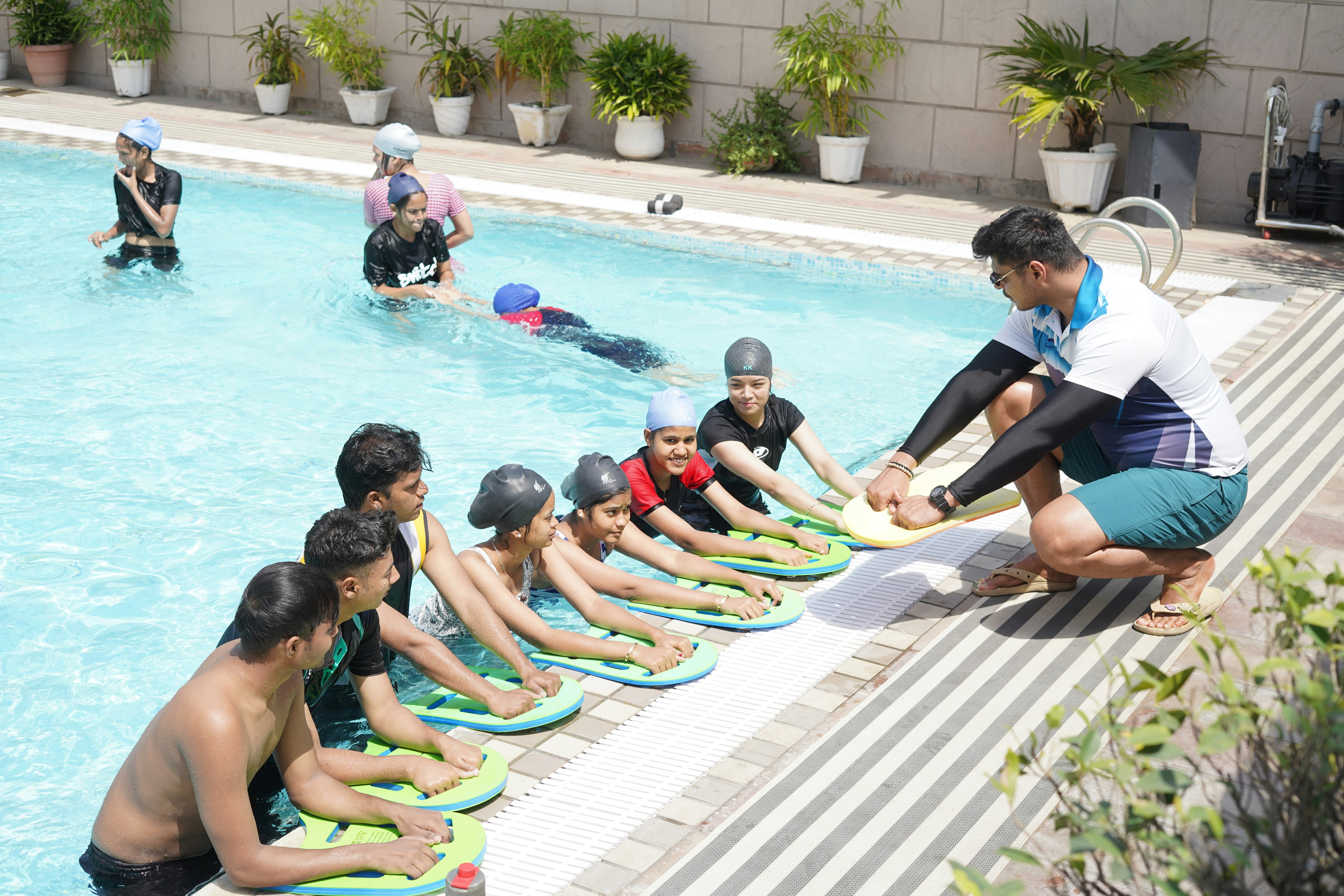
A swim program website should answer the questions families ask before they contact you
A parent looking for swimming lessons is usually trying to solve several problems at once: finding the right class level, confirming the pool is convenient, understanding the cost, and deciding whether the facility feels like a good fit for their child.
Adult learners, lap swimmers, prospective members, and adaptive-swimming participants have their own questions, but the underlying need is the same: clear details before they commit to a registration, visit, or inquiry.
Recent coverage of the 2026 Para Pan Pacific Championships has kept competitive and adaptive swimming in public view. SwimSwam published event recaps, and U.S. Para Swimming reported that Evan Wilkerson set a world record during the competition. These reports do not show that local facilities have received more inquiries or registrations, but they may give swim schools and aquatic centers a timely reason to review whether their websites serve prospective participants well. SwimSwam and U.S. Para Swimming provide the event coverage.
A useful swim school website does not make visitors hunt through a schedule PDF, social-media post, or unanswered contact form for basic information. It helps them understand what is available, who it is for, and what to do next.
In this guide
- The essential pages and details for swim lesson programs
- How to explain class levels, schedules, and pricing clearly
- Information that makes an aquatics facility easier to visit
- How to present safety, cancellation, and accessibility information responsibly
- Registration and inquiry workflows that reduce avoidable back-and-forth
Start with a clear program overview
The homepage or main programs page should quickly establish what your facility offers. Avoid a vague message such as “quality aquatics for everyone” without the practical details that follow.
A visitor should be able to identify the main program categories, such as:
- Parent-and-child or caregiver-and-child classes
- Preschool or youth learn-to-swim lessons
- School-age beginner, intermediate, or advanced lessons
- Teen or adult lessons
- Private or semi-private lessons
- Lap swimming or recreational pool access
- Swim team, clinics, or competitive training
- Water fitness programs
- Adaptive or para-swimming programs, if offered
Use program names that make sense to someone new to your facility. If you use branded level names, pair them with plain-language descriptions. “Seahorse 2” alone does not tell a parent whether the class is suitable for a beginner, a child who can float independently, or someone learning stroke technique.
A simple program card can include:
| Website detail | Example of a clear answer |
|---|---|
| Who it is for | Ages 5–7, beginner swimmers |
| Starting skills | No prior swimming experience required |
| Class objective | Water comfort, floating, kicking, and basic safety skills |
| Lesson format | Small group, private, or semi-private |
| Session length | State the actual lesson and session duration |
| Next step | View schedule, register, or ask for placement help |
The goal is not to make every page long. It is to prevent a visitor from needing to contact your team simply to learn whether a program may fit.
Explain age, ability, and placement requirements
Swim lesson placement is often more nuanced than age alone. A well-organized website helps families understand how they should choose a class without implying that a child will achieve a particular outcome.
For every class or level, show:
Age range
List the intended age range, plus any exceptions or evaluation requirements. If a class requires a child to be toilet trained, able to participate without a caregiver in the water, or within a specific school-grade range, say so plainly.
Starting ability
Describe the skills a participant should already have, if any. For example:
- Comfortable entering the water with instructor support
- Able to float independently
- Able to put their face in the water
- Able to swim a stated distance using a specific stroke
- Prior completion of a named level or a placement evaluation
Avoid broad labels such as “intermediate” without defining them. Families do not always use those labels the same way.
What the class covers
State the learning focus rather than promising results. For example:
This class introduces independent floating, kicking, arm movements, and basic water-orientation skills.
That is more useful and more responsible than guaranteeing that every participant will become a confident swimmer by the end of a session.
Placement support
Some families will still be unsure where to start. Give them a clear path:
- Complete a short placement questionnaire
- Request an evaluation, if your facility offers one
- Call or email the program desk
- Register for a trial or introductory option, if available
If staff must review placement before registration, say that before visitors reach a form or checkout page.
Make schedules easy to scan on a phone
Families frequently look at lesson schedules between errands, work, and school pickup. A schedule that works only on a large desktop screen can create friction before a family has even chosen a class.
Your schedule should show, for each option:
- Program and level name
- Participant age or ability range
- Day and start time
- Lesson duration
- Session dates or ongoing enrollment status
- Pool location, if you operate more than one
- Instructor name, when appropriate and available
- Open, waitlist, full, or unavailable status
- Registration link or next step
If schedules change often, publish the date they were last updated. If a third-party registration system holds the live availability, make that clear before sending visitors away from your site.
Avoid sending families to an unexplained registration portal
A “Register Now” button is useful, but visitors should know what will happen after they click it. A short note can prevent confusion:
Registration opens in our secure enrollment portal. You’ll select a level, session, and participant details there.
If an account is required, if payment is collected during registration, or if staff approval is needed before enrollment is complete, describe that process honestly.
For broader mobile usability improvements, see why your local business website has to work on a phone first.
Be direct about pricing, trials, and membership options
A visitor does not always need every pricing detail on the homepage. But they do need enough information to decide whether it makes sense to continue.
Depending on your model, publish:
- Price per lesson, session, month, or membership period
- Whether pricing is per participant or per household
- Any stated registration, membership, or facility fees
- What is included in the price
- Whether payment plans are available
- Trial, introductory, or drop-in options, if you offer them
- How to request a quote or speak with staff when pricing is individualized
If you do not publish a complete rate list, explain why and make the next step low-friction. For example:
Private lesson availability and rates vary by instructor and time. Send us your preferred days and participant age, and our team can share current options.
Do not use “contact us for pricing” as a substitute for useful information when you can publish a starting price, a pricing structure, or a clear explanation of the factors that affect cost.
For more guidance on making this decision, read should you put prices on your local business website?.
Show families how to find and enter the facility
An aquatics website should make the first visit feel less uncertain. A street address alone may not answer the questions visitors have about a multi-building campus, municipal recreation center, school facility, or shared sports complex.
Include a dedicated location section with:
- Full street address
- Map and directions link
- Primary facility phone number
- Main entrance instructions
- Parking location and any parking rules
- Public-transit details, when relevant
- Check-in location
- Locker room or changing-area guidance, if you choose to provide it
- Arrival-time recommendation, if your facility has one
- A note if the pool entrance differs from the building’s main entrance
Use real, current facility photos where possible. A photo of the exterior, entrance, pool deck, lobby, or check-in area can help a first-time visitor orient themselves better than a stock image.
Learn why authentic visuals matter in why real photos sell your local business better than stock.
Publish safety policies with care and specificity
Swimming carries real safety considerations, so policy pages should be easy to find and written in clear language. Do not bury them in a registration attachment that visitors discover after payment.
Your website can link to or summarize facility-specific policies covering topics such as:
- Supervision expectations for children
- Caregiver participation requirements
- Pool-deck behavior
- Illness and exclusion policies
- Weather or facility closure procedures
- Swim diaper requirements, if applicable
- Food, glass, and personal-item restrictions
- Photography or video rules
- Emergency procedures and staff directions during an incident
Only publish policies your facility actually follows. Avoid broad claims about staff qualifications, water treatment, supervision ratios, accessibility, or emergency readiness unless you can verify them for that location.
If schedules or access are affected by a closure, post the update prominently on your website rather than relying only on social media. The approach in what to put on a local business website during a prolonged power outage can also help facilities think through clear temporary updates.
Give adaptive and para-swimming participants a clear contact path
The 2026 Para Pan Pacific Championships are a reminder that swimming includes competitors and participants with a wide range of abilities and access needs. A local facility should not assume that a generic “contact us” page provides enough context for someone evaluating whether a program may fit.
If your facility offers adaptive lessons, inclusive programming, para-swimming opportunities, accessibility accommodations, or individualized planning, create a dedicated page or clearly labeled section that explains:
- The programs or participation options currently offered
- Participant age ranges and intended audiences
- How to discuss individual needs before enrollment
- Whether advance arrangements are needed
- Which facility contact can answer program-specific questions
- Relevant visitor information you have verified for the location
Keep the language factual. Do not imply that a facility provides accommodations, specialized equipment, medical support, accessible features, or certified instruction unless those details are current and verified.
A practical invitation might read:
Contact our aquatics team before registration to discuss program options and the information you would like us to consider for your visit.
That gives prospective participants a direct route without making unsupported promises about what a facility can provide.
Put cancellations, makeups, and weather changes where people can find them
Families compare swim programs partly by logistics. A confusing cancellation policy can create frustration before a family even enrolls.
Your policy page should answer:
- How a participant cancels an enrollment
- Deadlines for cancellations, withdrawals, or transfers
- Whether makeups are offered and how they work
- What happens if the facility cancels a class
- How weather, maintenance, or emergency closures are communicated
- Whether refunds, credits, or account adjustments may apply under your policy
- Who to contact when a family has a question about a charge or missed class
Use examples only if they reflect your actual policy. If exceptions are reviewed individually, say so rather than presenting a rigid rule that staff cannot honor.
For a broader policy-writing framework, see how local businesses should explain cancellation and no-show policies on their websites.
Publish a practical “what to bring” checklist
First-visit uncertainty is easy to reduce. A short checklist can help families arrive prepared and cut down on routine questions.
Tailor it to your facility, but possible categories include:
- Appropriate swimwear
- Towels
- Goggles, if recommended or permitted
- Swim cap, if required for a specific program
- Water bottle
- Change of clothes
- Required forms or membership card
- Swim diapers or other child-specific items, if your policy requires them
- A lock or other locker-room item, if applicable
Separate “required” from “recommended.” Do not tell families an item is mandatory unless it is part of your actual policy.
Also mention what should be left at home if your rules prohibit it. Clear preparation information may reduce stressful first visits and helps staff spend less time repeating basic instructions.
Introduce instructors and program leadership without overstating credentials
Instructor biographies can help families understand who runs a program, especially for private lessons, competitive training, or adult instruction.
A useful instructor page can include:
- Name and photo
- Role at the facility
- Programs or age groups taught
- Teaching approach in plain language
- Relevant qualifications that the facility has verified
- Languages spoken, if applicable and accurate
- How to request or inquire about a particular program
Keep bios current. Remove outdated instructor listings, old program descriptions, and claims that no longer apply.
For help strengthening this kind of trust content, read what to put on a local business about page.
Build an inquiry process that asks for the right information
Not every visitor will be ready to register. Some need help with placement, private lesson availability, membership questions, or adaptive-program information.
Your contact form should match that task. For a swim school, useful fields may include:
- Participant age
- Program of interest
- Current swimming experience or preferred level
- Preferred days and times
- Whether the visitor is seeking group, private, or semi-private lessons
- Preferred location, when multiple pools are available
- Best contact method
- Open question field for details staff should review
Keep the form focused. Do not ask for sensitive details you do not need to respond to an initial inquiry, and explain how the information will be used where appropriate.
A confirmation page should tell visitors what happened next: that the inquiry was received, how the facility will respond, and where to find urgent closure updates or program details. See what to put on a local business website thank-you page after a form submission.
A pre-publish checklist for swim school websites
Before promoting a new season, camp, membership option, or lesson schedule, check that your website answers the following:
- Can a first-time visitor identify the right program category?
- Does each class explain age, starting ability, format, and learning focus?
- Are the current schedule and availability easy to view on a phone?
- Is the registration process explained before visitors leave your site?
- Are pricing, trial options, or pricing-request steps clear?
- Can visitors find the facility, parking, entrance, and check-in location?
- Are facility policies current and easy to locate?
- Does the website explain what to bring on the first day?
- Is there a clear route for placement questions and adaptive-program inquiries?
- Are cancellation, makeup, and closure policies up to date?
- Are instructor and staff details accurate?
- Does every program page have one clear next step?
Keep the website as current as the program calendar
A polished swim school website becomes less useful when the schedule, pricing, staff listing, or policy details drift out of date. Assign ownership for routine checks, especially before seasonal enrollment periods, facility maintenance windows, or program launches.
A monthly review can cover broken registration links, expired session dates, inaccurate availability labels, closure notices, old instructor information, and contact-form submissions. Use the local business website maintenance checklist for a broader maintenance routine.
A clear aquatics website cannot guarantee enrollment or reduce every question a family has. It can, however, give prospective participants the details they need to make a more informed next step—and give your staff a stronger starting point when they do reach out.
Need help keeping your aquatics website clear and current?
StoopCraft builds done-for-you websites for local businesses and includes on-page SEO as part of its $99/month service. If your swim school or aquatics facility needs a website that makes program information easier to find and maintain, visit StoopCraft.


