Gatorade Recall Website Checklist for Local Retailers, Gyms, and Food Businesses
A practical website checklist for local businesses that may sell or serve products affected by the current Gatorade recall.
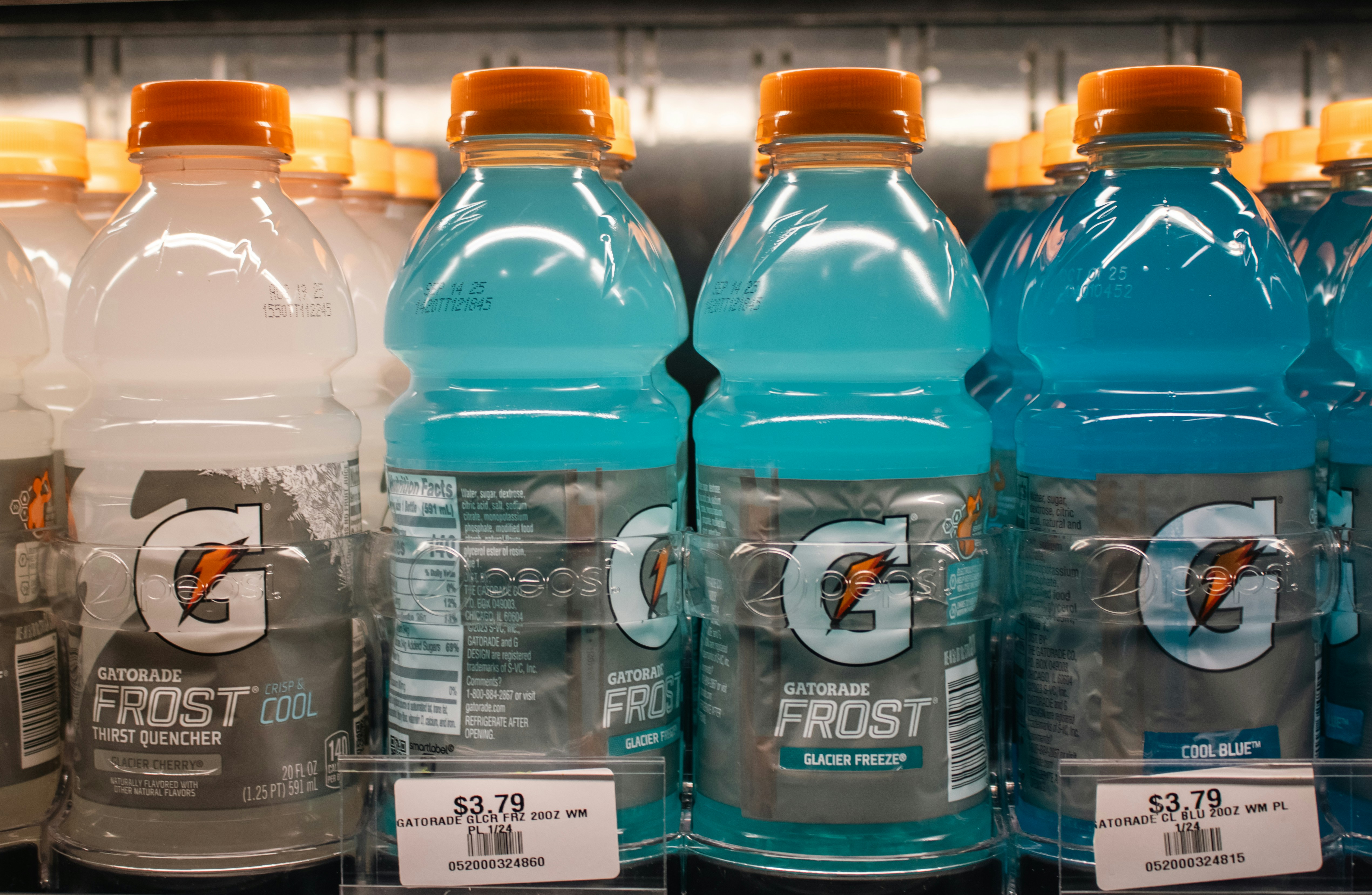
What local businesses should know about the Gatorade recall
PepsiCo has recalled approximately 122,000 cases of Gatorade because of undeclared dyes, according to CBS News. The recall is nationwide, according to a PIX11 report citing FDA information.
That does not mean every Gatorade product, every flavor, or every local business that carries Gatorade is affected. Local retailers, gyms, sports facilities, restaurants, cafés, concession operators, and other businesses should first verify whether products in their inventory are included in the current official recall notice.
If your business confirms that it has an affected product—or is still checking—your website should give customers one clear place to find verified information. The goal is not to turn a safety notice into a promotion. It is to avoid leaving outdated product pages, online ordering listings, or customer questions unanswered.
For broader guidance on handling a recalled item, see our related guide: How local food businesses should update their website during a product recall.
Table of contents
- Start with official recall details
- Gatorade recall website checklist
- What to say in a customer notice
- Update ordering, menus, and inventory information
- Prepare staff for possible customer questions
- Avoid these common recall-notice mistakes
- Key takeaways
Start with official recall details
Before publishing anything, confirm whether your business actually has a product covered by the recall. Use the current FDA and PepsiCo recall information for product-specific details.
Do not rely on a social-media post, an old distributor message, a customer photograph, or a news summary to identify:
- Affected flavors, sizes, or varieties
- Lot codes or date codes
- Instructions for customers
- Product return or refund procedures
- Health or safety information
- Whether a particular product is still available
The reports above establish that PepsiCo recalled approximately 122,000 cases because of undeclared dyes. They do not establish which items are in your store, facility, kitchen, or online catalog.
For a business with multiple locations, assign one person to verify inventory and one person to approve public updates. That keeps a website notice, a staff response, and a counter sign from contradicting one another.
Gatorade recall website checklist
Use this checklist after checking the official recall notice and your own inventory records.
1. Identify where the product appears online
A recalled or temporarily unavailable product can appear in more places than a business expects. Review:
- Product pages on your website
- Online ordering menus
- Pickup and delivery platforms you manage
- Restaurant or café beverage menus
- Gym, studio, or sports-facility amenity pages
- Event, tournament, or concession menus
- Preorder forms
- Subscription, package, or catering descriptions
- Homepage promotions and rotating banners
- Google Business Profile posts or updates, if you have published product availability there
A gym may list complimentary drinks on an amenities page. A sports complex may mention concession items on a tournament page. A retailer may have an old product collection indexed by search engines. The right update depends on where customers can reasonably see or order the item.
2. Remove or pause confirmed affected items from ordering
If an item in your inventory is confirmed as affected, review whether customers can still order or reserve it online.
Possible updates include:
- Removing the item from online ordering
- Marking it unavailable, if your ordering system supports that status
- Replacing it with a verified available option only after confirming inventory
- Updating bundle descriptions that mention the product
- Checking scheduled pickup, catering, or event-order pages
Do not silently leave an affected item listed as available while staff handle the issue offline. A customer who sees it on the website may reasonably assume it can still be purchased or served.
If you are still verifying inventory, avoid guessing. Temporarily pausing a specific listing may be more accurate than publishing a broad claim that all Gatorade products are unavailable.
3. Add a visible notice when customers may be affected
A website notice is most useful when customers may have purchased, ordered, received, or expected to receive a confirmed affected item from your business.
Place the notice where it matches the situation:
| Situation | Best place for the update |
|---|---|
| A retailer sold a confirmed affected product | Product page, store-updates page, and a temporary homepage notice |
| A restaurant or café served the item | Online menu and an updates page |
| A gym offers drinks for sale or as an amenity | Drink menu, member updates page, or front-page notice |
| A sports facility uses the product at concessions or events | Event page, concession menu, and attendee communication page |
| The business is only checking inventory | A brief customer-service response may be enough until facts are confirmed |
Keep the notice easy to spot on a phone. Customers may look for it while standing in a store, arriving at a facility, or checking an online menu.
For more mobile usability guidance, read Why your local business website has to work on a phone first.
4. Include the date and review the notice regularly
A recall notice should not become a permanent, unexplained banner.
Add:
- The date the notice was published or updated
- The specific business location or locations it applies to, if relevant
- A statement that details are based on the current official recall information
- A contact path for business-specific questions, such as whether an online order is ready
Review the page as your inventory status changes. If your business confirms it did not carry an affected product, a public notice may not be necessary. If you already published one while reviewing inventory, update or remove it when you can state the verified result accurately.
What to say in a customer notice
Keep recall copy factual, short, and specific to your business. Do not copy details from a news article into your notice unless you have confirmed they apply to your products.
Here is a conservative template for a business that has confirmed it carried an affected item:
Product availability update — [Date]
We are aware of the current PepsiCo Gatorade recall. After reviewing our inventory, we identified [describe only the verified affected product or sales context]. We have removed the affected item from [online ordering / our menu / our shelves].For product-specific recall information, please review the current official FDA or PepsiCo notice. For questions about an order or purchase from [Business Name], contact us at [phone number or email].
If your business is still checking inventory, use a different message:
Product availability update — [Date]
We are reviewing our inventory in response to the current PepsiCo Gatorade recall. Some product availability may change while we verify our stock. For product-specific recall information, please consult the current official FDA or PepsiCo notice. For questions about an order from [Business Name], contact us at [phone number or email].
Do not add unverified lot numbers, medical guidance, refund promises, or statements that no products are affected until you have confirmed them.
Update ordering, menus, and inventory information
A safety notice and a routine website update are not the same thing.
The notice tells customers that your business is aware of a verified issue and directs them to authoritative product guidance. Ordering and inventory updates prevent your site from presenting an affected or unavailable item as something a customer can still buy.
Check for these common gaps:
Retailers
- Product pages that remain searchable after an item is removed from shelves
- “In stock” labels that update manually
- Product bundles that include the item
- Store-pickup pages with outdated availability
Gyms and fitness studios
- Café, cooler, or front-desk drink listings
- Membership pages that mention complimentary refreshments
- Challenge, race, or event pages that list supplied beverages
- Vending or pro-shop descriptions
For more gym-specific website guidance, see Fitness studio website essentials: what new members need before booking.
Restaurants, cafés, and food businesses
- Beverage menus
- Third-party ordering descriptions
- Kids’ meal, combo, catering, and event-package listings
- Photos or promotional sections that prominently feature a currently unavailable item
If a replacement product is offered, describe only what you can reliably provide. Avoid “while supplies last” or substitution language unless your operation can support it consistently.
Prepare staff for possible customer questions
The research does not show that local businesses are receiving an increase in calls or website inquiries. Still, businesses that sold or served affected products should prepare for possible questions.
Give customer-facing staff a short approved response that matches the website notice. For example:
“We’re aware of the PepsiCo Gatorade recall and have reviewed our inventory. Our current information is posted on our website. For product-specific recall guidance, please refer to the current official FDA or PepsiCo notice. I can help with questions about an order or purchase from our business.”
Staff should know:
- Which location or products the business has verified
- What has been removed from sale or ordering
- Where the current website notice lives
- Who should handle questions they cannot answer
- Not to provide product-safety or medical advice beyond official guidance
If your website has a contact form, make it easy for customers to state the practical reason for contacting you—for example, “question about an order” or “product availability.” Keep the form limited to the information you need. Our local business lead form fields guide explains what to ask and what to leave out.
Avoid these common recall-notice mistakes
Saying all Gatorade is recalled
The available reporting does not support that claim. Refer only to the products your business has verified against official information.
Publishing details you have not confirmed
Do not list flavor names, codes, dates, health effects, or return procedures based on incomplete information. Direct customers to the current official notice for product-specific details.
Leaving online ordering untouched
A homepage notice does not fix an active product listing, menu item, or bundle. Review the pages where customers can actually place an order.
Making the message hard to find
A recall notice buried in a blog post or a social update may not reach customers checking your current menu or product page. Put the update near the affected customer action.
Turning a safety notice into marketing copy
Avoid promotional language, calls for upsells, or assurances you cannot support. This page should help customers find accurate information about your business’s current product status.
Key takeaways
- PepsiCo recalled approximately 122,000 cases of Gatorade because of undeclared dyes, and reporting describes the recall as nationwide.
- Do not assume every Gatorade item or every local business is affected.
- Verify your own inventory against the current official FDA or PepsiCo recall information before publishing details.
- If your business carried a confirmed affected item, update the customer-facing places where it appears: product pages, menus, ordering tools, and relevant notices.
- Keep staff answers aligned with the website and direct product-specific questions to official recall guidance.
- Review and remove temporary notices when your verified product status changes.
A timely update should be clear without being speculative. If your local business needs a website that makes it easier to keep pages, menus, and customer information organized, visit StoopCraft. StoopCraft builds websites and includes on-page SEO for local businesses for $99/month.


