Kīlauea Volcanic Unrest Website Checklist for Hawaii Tourism Businesses
A practical website checklist for Hawaii tourism businesses communicating during Kīlauea volcanic unrest or attraction closures.
Start with official safety information—not a business status update
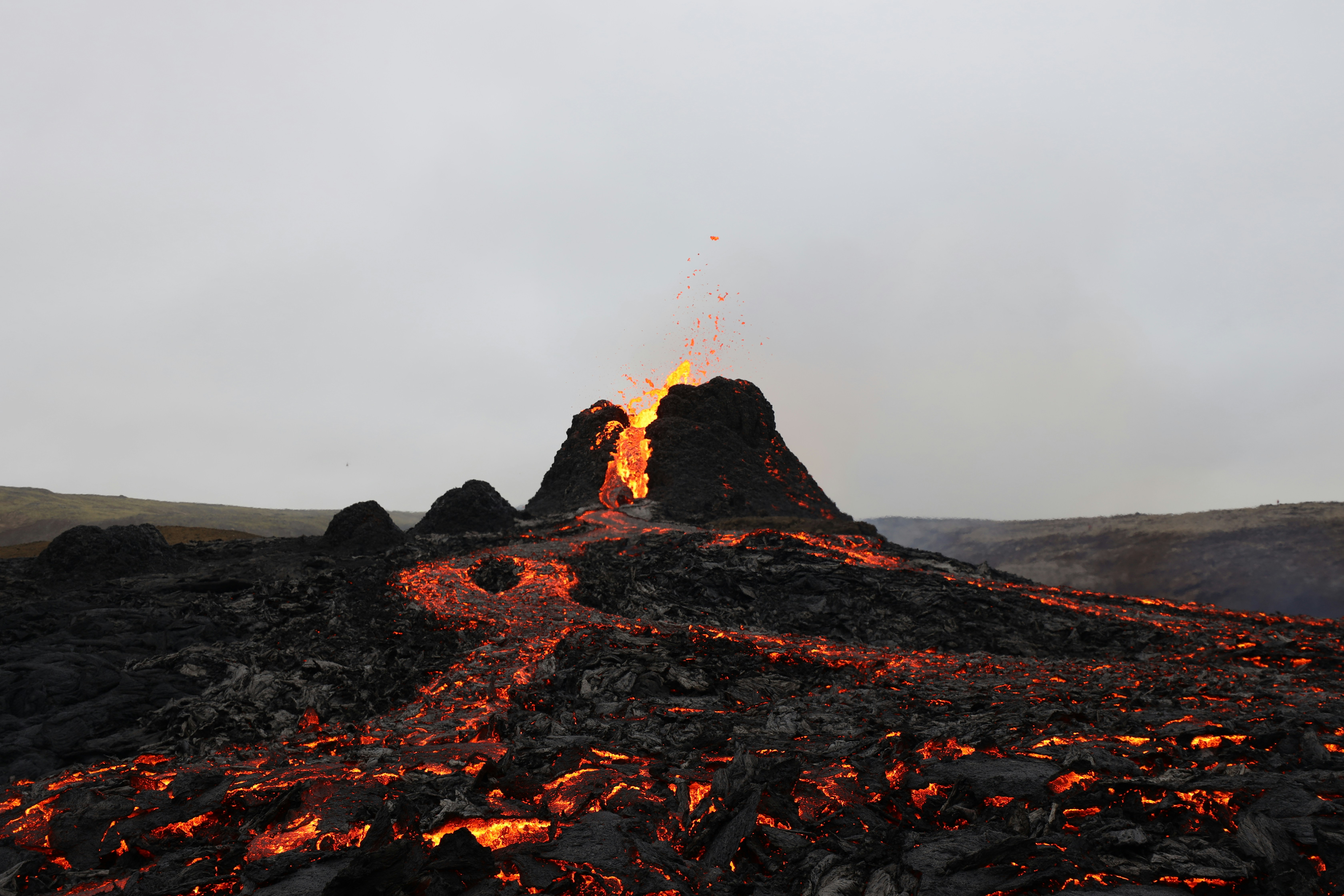
Kīlauea conditions can change quickly. The U.S. Geological Survey’s Hawaiian Volcano Observatory reported an intrusion during an ongoing eruption at Kīlauea’s summit. Separate reporting from Fox Weather described nearly 100 earthquakes associated with volcanic unrest and a park closure. USGS Volcano Watch and Fox Weather’s report provide context for why visitor-facing businesses may need to review what their websites say.
Your website is not an emergency alert system, and it should not tell visitors whether travel is safe. Direct customers to authoritative sources for current conditions, closures, road access, air-quality information, and emergency instructions:
- USGS Hawaiian Volcano Observatory
- Hawaiʻi Volcanoes National Park
- County emergency management and civil defense authorities
- Other official state and local agencies relevant to your location
Once visitors have a clear path to official information, your website can answer the separate question they may have: What does this mean for my reservation, activity, meal, or stay with your business?
Table of contents
- What to update first
- The Kīlauea website communication checklist
- Copy-and-paste status update template
- How to handle bookings, cancellations, and new inquiries
- What not to publish
- A simple internal response process
- Keep the update useful after conditions change
What to update first
If volcanic unrest or a closure affects your operations, do not begin by rewriting every page of your website. Start with the pages a concerned visitor is most likely to see before booking or traveling.
For a Hawaii tour operator, vacation rental, activity provider, restaurant, transportation company, or visitor attraction, that usually means:
- Your homepage
- The relevant booking or reservation page
- Your contact page
- The page for an affected tour, location, activity, or service area
- Your Google Business Profile, if its hours, location, or availability need to match your website
A short, dated notice near the top of the homepage can help visitors find the current answer without digging through menus. Link that notice to a fuller status page if more explanation is needed.
Keep the message specific to your business. A restaurant in Hilo, for example, may need to clarify its hours or reservation policy. A tour company offering a Kīlauea-area itinerary may need to explain whether that specific itinerary is available, modified, or paused. A vacation rental may need to clarify check-in instructions or affected amenities if there is a verified operational change.
The Kīlauea website communication checklist
1. Publish a verified operating-status notice
Use plain language to state what is true at the time of publication:
- Open and operating as scheduled
- Open with a revised meeting point, route, schedule, or offering
- Temporarily unable to offer a specific activity or itinerary
- Temporarily closed
- Reviewing conditions and updating guests directly
Add a visible timestamp, such as:
Last updated: [day, date, time] HST
Do not leave an undated notice online. A message about changing conditions becomes less helpful when visitors cannot tell whether it is current.
Avoid broad claims such as “everything is normal” unless you can verify that statement for every relevant part of your operation. It is more useful to say:
Our [specific tour/service/location] is currently [operating status]. Guests with reservations for [date range, if applicable] will receive direct updates if their plans are affected.
2. Separate official conditions from your business operations
Visitors may be searching for information about Kīlauea, earthquakes, park access, roads, air quality, or closures. Your business should not summarize fast-changing official conditions from memory or make predictions about what will happen next.
Instead, separate the two topics:
- Official conditions: Link to USGS, Hawaiʻi Volcanoes National Park, and relevant county emergency management sources.
- Your operations: Explain only what you have verified about your hours, routes, meeting points, reservations, and services.
This distinction protects customers from mistaking a business update for official safety guidance.
3. Identify affected attractions, routes, and meeting points
General language creates more calls and uncertainty. If a confirmed closure or access issue affects a specific part of your offering, name it.
Include details such as:
- The tour or activity name
- The usual meeting location
- A confirmed alternate meeting point, if one exists
- A route, attraction, overlook, or park area that is part of the itinerary
- Whether transportation, pickup, or arrival instructions have changed
- The date or reservation window affected
Do not speculate about road conditions or access. If you are not certain, say that you are confirming details and point visitors to official sources.
A useful format is:
| Customer question | Website answer |
|---|---|
| Is my tour running? | State the current status of that named tour. |
| Where do we meet? | Confirm the current meeting point or say when guests will receive updated instructions. |
| Is the park or attraction accessible? | Link to the official authority responsible for current access information. |
| Can I change my booking? | Link to your current change or cancellation terms. |
| How do I reach you? | Show a phone number, email address, and contact form or other monitored contact option. |
4. Update availability before accepting new bookings
If you cannot provide a particular tour, pickup, accommodation feature, or reservation time, remove it from online availability or clearly label it as unavailable.
This is especially important for businesses with instant booking. A homepage notice alone may not prevent a visitor from booking an option that is no longer operating as described.
Check:
- Booking calendar availability
- Tour departure dates and times
- Pickup-location selections
- Accommodation availability and check-in information
- Add-ons tied to an affected activity or place
- Confirmation emails and automated reminders
If you offer an alternative experience, only publish it once you can deliver it. Describe the alternative accurately rather than presenting it as equivalent to a canceled or altered experience.
For more booking-page fundamentals, see Local Business Appointment Booking Website Checklist: What Customers Need Before They Schedule.
5. Put reservation and cancellation terms where customers can find them
During changing conditions, customers may first look for answers about refunds, rebooking, cancellations, or credits. Do not make them submit a form just to locate your policy.
Link clearly to the relevant policy from:
- The status notice
- Affected booking pages
- Reservation confirmation emails, where possible
- Your contact page
If your policy varies by booking type, explain the difference. For example, a private tour, a vacation rental stay, and a restaurant reservation may have different terms. Do not promise a refund, waiver, or alternative unless it is your actual policy.
A concise, accurate policy note can reduce confusion:
Reservations affected by a confirmed change to our operations will be handled under our current [reservation policy]. Contact us with your reservation number so we can review your options.
Vacation-rental operators can also use the approach in How Kauai Vacation Rentals Should Update Their Websites After a Hurricane, adapting the operational details to current Kīlauea-related conditions.
6. Make contact options prominent and realistic
When conditions are changing, a generic “Contact us” link in the footer is not enough. Put a visible contact path in the update itself.
Include:
- A monitored phone number
- An email address or contact form
- Expected response timing only if you can reliably meet it
- A field for reservation number or stay dates, if relevant
- A reminder not to use your business contact channel for emergency assistance
Keep forms short. For a reservation question, the essentials are usually name, email, reservation number, scheduled date, and message. Asking for unnecessary information can slow down an already stressed customer.
See Local Business Lead Form Fields: What to Ask and What to Leave Out for a practical form review.
Copy-and-paste status update template
Use this as a starting point, then replace every bracketed item with verified details.
Update for guests and visitors
Last updated: [day, date, time] HSTOur [business name] is currently [open / operating with changes / temporarily closed] for [specific service, tour, location, or reservation dates].
[Describe the confirmed operational change in one or two sentences. For example: “Our [tour name] is not currently available because its usual itinerary includes [affected attraction or access point].”]
Guests with reservations on [affected dates, if known] should [check their email / contact us at phone or email / review the reservation policy].
For current volcanic conditions, park information, road access, air quality, and official guidance, please consult [USGS], [Hawaiʻi Volcanoes National Park], and applicable county emergency management authorities.
We will update this page when verified information about our operations changes.
This template is intentionally narrow. It does not attempt to interpret volcanic conditions, predict impacts, or advise people whether to travel.
How to handle bookings, cancellations, and new inquiries
A status page works best when the rest of your customer journey matches it.
Review confirmation emails and automated messages
A visitor who sees an updated website but receives an old automated confirmation may reasonably assume the information is inconsistent.
Review:
- Booking confirmations
- Pre-arrival instructions
- Pickup reminders
- Check-in emails
- SMS reminders, if used
- Cancellation and rescheduling messages
If an automated message cannot be updated quickly, add a short link to your current status page rather than inserting unverified details.
Prepare answers for the questions staff will receive
Create one internal source of truth before team members respond to calls, emails, and direct messages. It can be a simple document containing:
- Current operating status
- The time it was verified
- Affected services and dates
- Reservation options you are authorized to offer
- Official links to share
- The person responsible for approving updates
This does not mean staff should improvise answers to safety questions. It means they can provide consistent, verified information about your own business.
Avoid making customers repeat themselves
For inquiries related to an existing booking, ask for the minimum information needed to locate it. If a guest has already supplied a reservation number, avoid asking them to restate the full situation through multiple channels.
A clear contact page helps here. Review 7 Contact Page Mistakes That Cost Local Businesses Leads for ways to make the next step easier to find.
What not to publish
During an active or changing situation, vague reassurance and speculation can create avoidable problems. Do not publish:
- Predictions about eruption activity, closures, roads, air quality, or future access
- Statements that travel is safe or unsafe
- Unverified reports from social media
- A copied official update without a source link or timestamp
- A promise that a tour, reservation, or amenity will proceed before you can confirm it
- A generic “we are monitoring the situation” message with no customer action to take
- An outdated notice after your operations have changed again
Also avoid burying important status information in a blog post that customers may never find. A blog post can provide background, but a timely operational notice belongs on the homepage, affected booking pages, and any page where a visitor needs to make a decision.
A simple internal response process
Use a repeatable process so updates remain accurate even if several people handle customer communication.
- Verify the business detail. Confirm your actual operating status, not just a general report about conditions.
- Choose one owner. Assign one person to approve website and booking updates.
- Update the high-visibility pages. Homepage, status page, affected service pages, booking flow, and contact page.
- Update customer-facing systems. Booking availability, confirmation messages, and Google Business Profile where applicable.
- Brief the team. Share approved language and official links.
- Add a timestamp. Every public update should show when it was last verified.
- Review again when conditions or operations change. Remove or revise the notice when it is no longer accurate.
This approach is similar to the website communication principles in Zion National Park Closure Website Checklist for Local Tourism Businesses, but the official agencies, affected locations, and operating details must be specific to Hawaii and your business.
Keep the update useful after conditions change
Do not let an old emergency notice become permanent homepage clutter. When your business has verified that its normal operations have resumed, replace the active notice with a brief, dated update or remove it.
Before doing so, confirm that:
- Booking availability matches your real capacity
- Hours and service pages are current
- Automated emails no longer reference outdated changes
- Staff have the latest approved response
- Your Google Business Profile matches your website
- Old social posts do not conflict with current instructions
A clear website cannot replace official alerts or safety guidance. It can, however, help customers understand your verified operating status, find your reservation policy, and reach the right contact when questions arise.
Need help keeping your website clear during changing conditions?
StoopCraft builds websites for local businesses and includes on-page SEO as part of its $99/month service. If you need a website that makes important updates, booking information, and contact options easier for customers to find, visit StoopCraft.


