Black Friday 2026 Website Checklist for Local Retailers and Service Businesses
Prepare your local business website for Black Friday 2026 with clear offers, hours, availability, mobile actions, and customer FAQs.
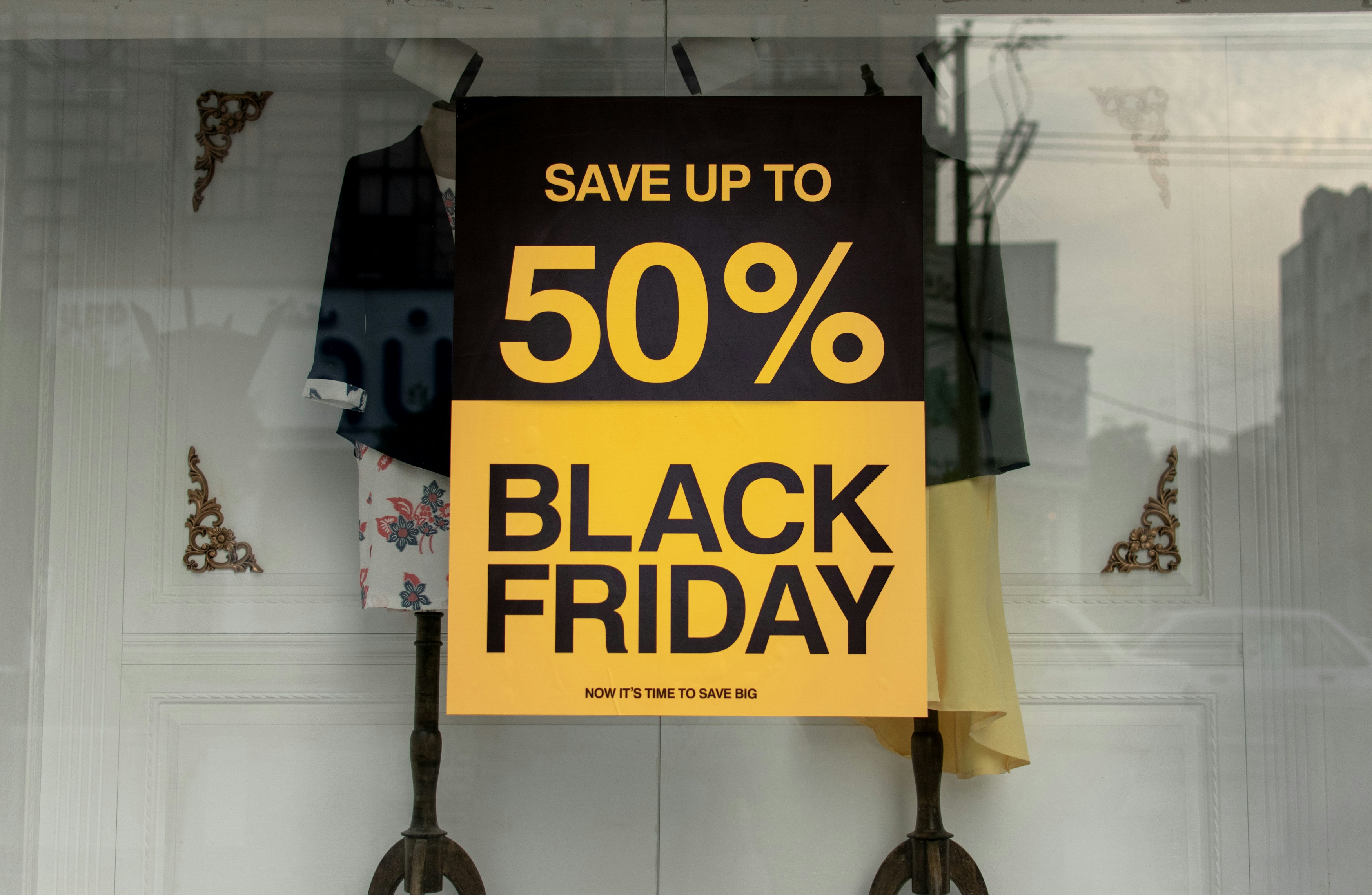
Prepare your website before Black Friday questions arrive
Black Friday 2026 shopping coverage is already appearing in publications including Vogue and The Mom Edit. That does not prove local businesses will receive a certain amount of traffic, inquiries, or sales. It does mean the promotional season is approaching, and customers may soon start looking for practical details: what is included, when an offer ends, whether something is available, and how to take the next step.
A local business does not need to run a discount simply because Black Friday is coming. But if you plan to offer a promotion, extend hours, accept holiday bookings, sell gift cards, or expect more time-sensitive questions, your website should give customers clear answers before they need to call.
This checklist helps retailers, restaurants, salons, and local service businesses prepare a website that is accurate, easy to use on a phone, and ready if inquiries rise.
Table of contents
- Start with one clear promotion page
- Publish the details customers need to decide
- Update hours, pickup, delivery, and booking information
- Make the next step obvious on mobile
- Prepare for availability questions
- Test forms, confirmation messages, and response ownership
- Industry-specific Black Friday checks
- Run a final accuracy check
Start with one clear promotion page
Do not make customers piece together a Black Friday offer from a homepage banner, an old social post, and a vague mention in an email. Create one page that serves as the source of truth.
That page might be a dedicated Black Friday page, a seasonal service page, or a clearly updated product or booking page. The right choice depends on your offer, but the information should live in one place and be easy to link from your homepage, Google Business Profile, social posts, and email messages.
Include:
- The offer name or a plain-language summary
- What is included
- Who is eligible
- The exact start date and time
- The exact end date and time
- Any location, service-area, or online-only restrictions
- Whether the offer can be combined with other promotions
- The next step: shop, order, call, request a quote, or book
Avoid hype that obscures the actual terms. “Biggest sale of the year” is less useful than “15% off select in-stock winter coats, Friday through Sunday while supplies last” — if that statement is accurate for your business.
If the details are complex, use short sections and bullets rather than placing all conditions in one dense paragraph.
Publish the details customers need to decide
A Black Friday page should answer the questions that could otherwise turn into calls, messages, abandoned carts, or frustrated arrivals.
State terms without hidden surprises
Before publishing, verify every promotional statement with the person responsible for pricing, inventory, scheduling, or fulfillment. A customer should not discover important exclusions only after starting an order or arriving at your location.
Depending on the promotion, publish:
- Eligible products, services, packages, or gift cards
- Excluded brands, categories, dates, or appointment types
- Minimum purchase requirements
- Whether a code is required
- Limits per customer, household, transaction, or appointment
- Whether discounts apply before or after taxes and fees
- Return, exchange, cancellation, or refund rules that apply to promotional purchases
Use the terms your staff will actually enforce. If an offer applies only to a specific service, do not describe it as sitewide. If a coupon cannot be combined with another offer, say so near the offer itself.
Use real deadlines, not just “limited time”
“Ends soon” creates uncertainty. A clear deadline lets customers decide without guessing.
Write dates and times in a format that is hard to misunderstand:
Available from Friday, November 27 at 8:00 a.m. through Sunday, November 29 at 6:00 p.m.
If an online offer and in-store offer have different timing, separate them. If your business has customers in more than one time zone, state the time zone.
Explain eligibility before the call to action
Put the key condition before the “Book now,” “Order now,” or “Request a quote” button. For example:
- “Available for new clients only”
- “Valid on appointments completed by [date]”
- “Available at our downtown location”
- “Applies to in-stock items only”
- “Delivery available within our listed service area”
This is not about creating barriers. It is about helping the right customer take the right next step.
Update hours, pickup, delivery, and booking information
During a seasonal promotion, normal operating details can matter as much as the offer itself.
Check every place your website displays hours, including the homepage, contact page, footer, location pages, booking page, and any holiday announcement bar. Conflicting information can create avoidable customer confusion.
For businesses with physical locations, confirm:
- Holiday and weekend hours
- Early opening or late closing times
- Store-specific hours if locations differ
- Parking, access, or pickup instructions if relevant
- The best phone number for day-of questions
For pickup, delivery, or local fulfillment, clarify:
- Pickup windows
- Order cutoffs
- Whether pickup is available during promotional hours
- Delivery areas
- Delivery fees or minimums, if applicable
- Whether a product is pickup-only or delivery-only
For appointment businesses, update:
- Remaining appointment availability
- Whether the promotion applies to new or existing bookings
- The deadline for booking versus the deadline for receiving service
- Cancellation and rescheduling policies
- Waitlist instructions, if you use one
If a date is fully booked or an item is unavailable, update the page promptly rather than continuing to send customers toward a closed option.
For more help making local operating information easy to find, read Google Business Profile and your website: how they work together.
Make the next step obvious on mobile
Black Friday-related browsing may happen quickly and from a phone. A visitor should not need to zoom in, hunt through a menu, or scroll past several promotional graphics to find out how to act.
On a phone, the first screen of your promotion page should make three things clear:
- What the offer is
- When it ends
- What the customer should do next
Use one primary action per page. Depending on your business, that might be:
- Shop the offer
- Order online
- Book an appointment
- Call the store
- Request availability
- Get a quote
- Buy a gift card
Do not place five competing buttons next to one another. If phone calls are the best route for customers with questions, make the tap-to-call option visible. If booking is required, take visitors directly to the relevant booking flow rather than to a general contact page.
Before launch, test the page on an actual phone. Check that:
- The offer text is readable
- Buttons are easy to tap
- The deadline is visible
- Forms can be completed without excessive typing
- Important terms do not disappear behind an accordion or tiny footnote
- The confirmation screen appears after submission
For a more complete mobile review, see Why your local business website has to work on a phone first.
Prepare for availability questions
Limited stock and limited appointment inventory can create more questions than a straightforward promotion. Do not imply availability that you cannot confirm.
For products
If stock is limited, say so accurately. You may use language such as “while supplies last” only when it reflects your actual policy and your team understands what happens when inventory runs out.
Make sure customers can tell:
- Whether an item is currently available
- Whether an item can be reserved
- Whether an item is available for pickup, delivery, or shipping
- When you will update customers about out-of-stock orders
- What alternatives are available, if any
If fulfillment timelines may be relevant, link customers to clear shipping or pickup guidance. Our guide to shipping delays and your local business website covers how to set expectations when delivery information changes.
For appointments
Do not advertise “limited spots” unless you have a defined number of bookable appointments and a way to keep availability current.
Instead, consider practical language such as:
- “Select Black Friday appointment times are available through Sunday.”
- “Choose an available time online or call us for help.”
- “Join the waitlist if your preferred time is unavailable.”
If a promotion applies only to services completed by a certain date, make that deadline visible before customers book.
Test forms, confirmation messages, and response ownership
A functioning form is part of the offer. If customers can submit a request but do not know it was received — or no one is assigned to review it — the website is not ready.
Before the promotional period begins, submit a test inquiry yourself. Confirm that:
- The form sends successfully
- The correct inbox receives it
- The submitted information is readable
- The confirmation message appears on screen
- The confirmation email, if used, is accurate
- Links and phone numbers in the message work
- Someone knows who is responsible for responding
Keep the form focused on information your team needs to act. For a Black Friday appointment request, that might include the requested service, preferred date, and contact information. For a product availability question, it may include the item name, size, color, or location.
Avoid asking for unnecessary sensitive information. Review local business website lead form fields: what to ask and what to leave out for guidance on keeping requests useful and proportionate.
Assign a response plan
The research behind this article does not establish that inquiries will increase. Still, a time-limited promotion can create time-sensitive questions, so assign a simple coverage plan.
Decide:
- Who checks web inquiries during business hours
- Who responds when the primary person is unavailable
- Which questions staff can answer immediately
- Which questions need approval from an owner or manager
- When the promotion page should be updated instead of answering the same question repeatedly
If customers repeatedly ask one question — for example, “Does this apply to gift cards?” — add the answer to the page and FAQ section.
Industry-specific Black Friday checks
The underlying website work changes slightly by business type. Use the checklist that matches how customers buy from you.
Retailers
Retailers should make product availability and fulfillment details especially clear.
Check:
- Product pages show the correct promotional price and eligibility
- Sale items are correctly labeled by location or channel
- Pickup and delivery options are current
- Inventory limitations are not hidden
- Return and exchange information is easy to find
- Staff have a process for updating sold-out products or replacing homepage promotion links
If your promotion is in-store only, say that near the offer rather than allowing customers to assume online checkout will apply the discount.
Restaurants, cafés, and food businesses
Restaurants may use the period for special menus, gift cards, catering offers, takeout promotions, or altered holiday hours.
Check:
- The menu, special, or gift-card offer is current
- Ordering and pickup hours match the kitchen’s actual capacity
- Catering deadlines and minimums are visible
- Reservation availability is accurate
- Dietary and ordering details are clear where relevant
- Customers know whether a promotion applies to dine-in, takeout, delivery, or gift cards
A time-sensitive offer should not send customers to a menu that still lists last season’s details.
Salons, spas, and beauty businesses
For salons and similar businesses, the main issue is usually appointment availability and service eligibility.
Check:
- The promotion identifies eligible services, stylists, or providers
- Booking links lead to the correct service category
- Appointment duration is represented accurately
- New-client, package, gift-card, or service-completion conditions are clear
- Cancellation and late-arrival policies are easy to find
- The page explains what customers should do if online booking shows no availability
A seasonal offer should not create the impression that every provider or time slot is included if that is not the case.
Appointment-based local services
Home services, professional services, fitness studios, tutoring businesses, and similar operators may use Black Friday for packages, consultations, assessments, memberships, or future service bookings.
Check:
- The offer explains whether it is for a quote, consultation, deposit, package, or completed service
- Your service area is current
- Booking windows and lead times are realistic
- Any licensing, scheduling, or eligibility limitation is clearly stated
- The call to action matches your actual intake process
- The confirmation message tells customers what happens next
For quote-driven businesses, a focused service page can be more useful than a generic promotion page. See what to include on a local business service page before customers request a quote.
Run a final accuracy check
Review the finished page as a customer would, then ask a staff member to do the same. They may notice assumptions that are obvious internally but unclear to a first-time visitor.
Use this final checklist:
- [ ] The offer is explained in plain language.
- [ ] Start and end dates and times are correct.
- [ ] Eligibility and exclusions are visible.
- [ ] Prices, discount details, and terms have been approved.
- [ ] Hours are current everywhere on the website.
- [ ] Pickup, delivery, booking, or service-area details are accurate.
- [ ] Stock or appointment limitations are explained honestly.
- [ ] The primary action works on a phone.
- [ ] Forms, booking links, phone links, and confirmation messages have been tested.
- [ ] Someone is assigned to respond to customer questions.
- [ ] Staff know where the current promotion terms are published.
- [ ] The page has a plan for being updated or removed when the offer ends.
Keep the promotion useful after it ends
When the promotional period is over, do not leave an expired offer on your homepage or in search results. Remove homepage banners, update navigation links, and redirect visitors to a relevant current page if appropriate.
You may choose to keep a past promotion page only if it has a clear purpose, such as explaining an ongoing gift-card policy or directing visitors to current seasonal offers. Otherwise, outdated deadlines and pricing can damage trust.
A Black Friday website update is less about predicting a sales result and more about reducing avoidable uncertainty. Clear offer terms, current operating details, a mobile-friendly next step, and a tested response process give customers a more reliable way to act if they are interested.
If you would rather not manage seasonal website updates yourself, StoopCraft builds websites for local businesses and includes on-page SEO as part of its $99/month service.


