King Tide and Coastal Flooding Website Checklist for South Florida Businesses
A practical website checklist for South Florida businesses communicating hours, access, appointments, and service changes during coastal flooding.
Put safety and official information first
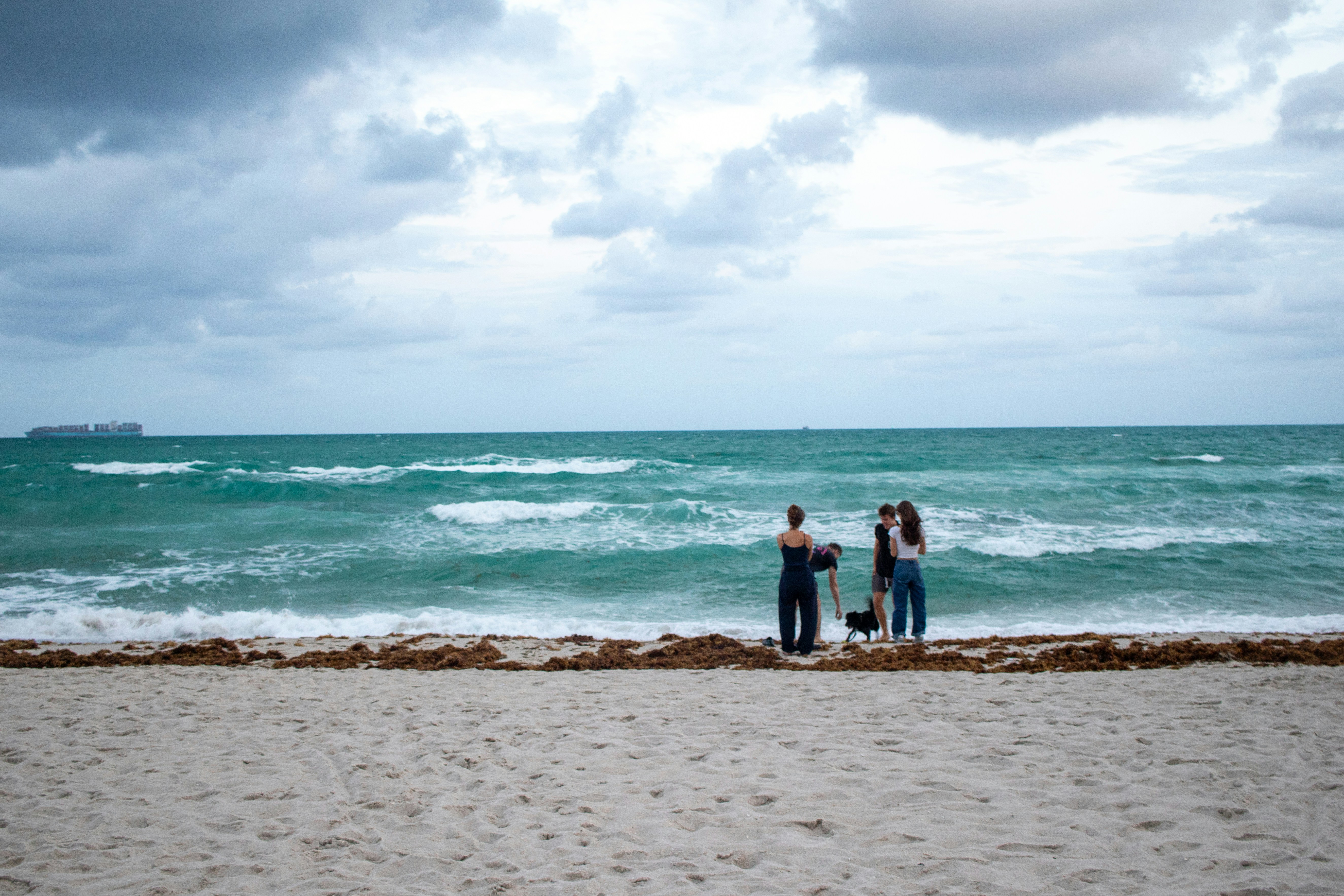
Reports from FOX Weather and CBS12 describe king tides, coastal flooding, rain, gusty winds, high surf, and dangerous rip currents affecting parts of South Florida and the Southeast Florida coast.
Your business website is not an emergency alert system. For safety decisions, customers and staff should follow local authorities and official weather services. Do not publish evacuation guidance, road conditions, beach-safety directions, or weather forecasts unless you are linking directly to the relevant official source.
Your role is narrower and practical: explain what has changed at your location, how customers can reach you, and when they should check back for an update.
If coastal flooding, heavy rain, high surf, or wind affects access to your business, a clear temporary website update can help customers avoid an unnecessary trip and give your team one consistent answer to share.
What to update during a short-lived coastal disruption
A useful update does not need to be long. It needs to answer the questions a customer may have before leaving home:
- Are you open?
- Can customers safely access this specific location?
- Are normal services, deliveries, or appointments available?
- What should customers do if their plans need to change?
- When was this information last checked?
Use an announcement bar, homepage notice, contact page, booking page, or location page—wherever customers are most likely to look before visiting. On a phone, the notice should appear before a visitor has to scroll through a full page of regular promotional copy.
Temporary coastal-conditions update checklist
Review each item against current conditions at your own location. Do not assume that a nearby neighborhood, city, or coastline has the same access conditions.
- [ ] Business status: State whether you are open, closed, opening late, closing early, or operating with limited service.
- [ ] Effective time: Include the day and time the update was posted or confirmed.
- [ ] Location specificity: Name the affected location if you have more than one.
- [ ] Access information: Explain any customer-facing access issue you have personally confirmed, such as a temporarily unavailable entrance or parking area.
- [ ] Appointments: Say whether appointments are continuing, being rescheduled, or available remotely, if that is an option your business actually offers.
- [ ] Service-area limits: Identify neighborhoods, routes, or delivery zones you cannot currently serve—only if you have confirmed those limitations.
- [ ] Delivery or pickup changes: Explain any changed pickup window, delivery pause, or curbside process.
- [ ] Contact path: Give customers one clear way to confirm their plans: phone, text, email, or an online contact form.
- [ ] Update promise: Tell visitors when you expect to review the notice again, without guaranteeing that conditions will be resolved by then.
- [ ] Official safety link: Where appropriate, link customers to their local government or official weather source for safety information.
A vague message such as “Weather may affect operations” leaves customers guessing. A specific, time-stamped notice is more useful:
Updated Tuesday at 9:30 a.m.: Our Fort Lauderdale location is open today. Please use the main entrance on [street name]; the rear parking area is temporarily unavailable. Customers with appointments before noon may call us to discuss rescheduling. We will review this notice again at 1 p.m. For local safety information, follow guidance from local authorities and official weather services.
Only publish details your team can verify. If you do not know whether access is clear, say that you are checking conditions rather than implying that travel is safe.
Table of contents
- Start with the homepage and location pages
- Update appointments, orders, and service areas
- Use a simple “what changed and when” format
- Make contact options easy to use on a phone
- Prepare for possible changes in inquiries
- Remove or revise the notice when conditions improve
Start with the homepage and location pages
During a localized disruption, customers may arrive from several paths: a Google search, your Google Business Profile, a saved bookmark, a booking link, or a service page. The homepage is usually the best place for a short, visible status notice, but it should not be the only place you update.
Prioritize these pages.
Homepage
Place a brief notice near the top of the page. Keep the message focused on current business operations, not a summary of regional weather coverage.
Include:
- Current status
- A timestamp
- A link to a fuller update if needed
- A direct contact option
Contact and location pages
A customer looking for directions may not visit your homepage first. Add the same status message to your contact page and each affected location page.
If access is changed, make the wording concrete:
- “Please enter through the side door on Oak Street.”
- “Customer parking is temporarily limited.”
- “This location is serving walk-ins only until further notice.”
- “Please call before traveling to this location.”
Avoid language that could be read as a safety assurance, such as “roads are clear” or “it is safe to visit.”
Booking and quote-request pages
If staff availability, appointment timing, or travel routes may change, add a short note beside the booking form or scheduling button. Customers should not complete a normal booking flow only to discover a disruption after submitting.
For businesses that serve customers at their homes or workplaces, review your service-area language. The guidance in Local Business Website Service Areas: What to Include Without Creating Confusion can help you present temporary limits without rewriting your entire service page.
Update appointments, orders, and service areas
Coastal flooding can affect businesses differently. A storefront may remain open while its usual parking setup changes. A contractor may be able to answer calls but not reach every service area. A restaurant may be open for pickup but pause delivery. Your notice should reflect the actual operational change.
Appointment-based businesses
For salons, clinics, professional offices, fitness studios, and other appointment-based businesses, clarify:
- Whether scheduled appointments are still taking place
- Whether late arrivals will be handled differently
- How customers can request a reschedule
- Whether staff will contact affected customers directly
- Whether a specific location has changed hours
Do not make customers hunt through a general cancellation policy for a temporary answer. Put a brief disruption-specific note beside the booking action.
If you need to revise standard cancellation language, see How Kauai Vacation Rentals Should Update Their Websites After a Hurricane for broader guidance on clear policy communication during a disruption.
Delivery, pickup, and mobile-service businesses
If operations are limited, state the limitation in customer terms:
- “Pickup orders remain available from 11 a.m. to 4 p.m.”
- “Delivery is temporarily unavailable in selected coastal areas.”
- “Our technicians are prioritizing existing appointments and will confirm new requests by phone.”
- “We are accepting new requests, but arrival times may change based on access conditions.”
Do not list a broad area as unavailable unless you have made that operational decision. Conditions may differ substantially across South Florida communities.
Businesses near beaches, marinas, or waterfront activity
High surf and dangerous rip currents are safety issues, not marketing opportunities. If your business involves tours, rentals, waterfront events, or beach-adjacent operations, use a notice to describe your own schedule or service status. Direct visitors to official authorities for water and beach safety information.
Use a simple “what changed and when” format
A temporary update should be easy for a staff member to revise without rewriting the whole page. Use the same four-part structure each time.
Copy-and-paste website notice template
Operational update — [day, date, time]
Status: [Open / limited service / temporarily closed / appointments by confirmation]
What changed: [Specific change to hours, access, service area, delivery, or appointments.]
What customers should do: [Call, text, use a different entrance, reschedule, or check back.]
Next review: We will review this update by [time or date]. For local weather and safety guidance, follow local authorities and official weather services.
Here is an example for a service business:
Operational update — Friday, 2 p.m.
Status: Limited service in selected areas.
What changed: Due to localized access conditions, we are confirming same-day service requests individually before dispatch.
What customers should do: Submit your request online or call us with your address and preferred appointment time.
Next review: We will review this update by 6 p.m. For local safety guidance, follow local authorities and official weather services.
This format prevents a common problem: an old weather message staying online after it is no longer accurate.
Make contact options easy to use on a phone
Customers checking conditions are likely doing it from a phone, possibly while away from their usual computer. Your update should make it easy to take the next step without forcing them to search the site.
Check these details:
- Phone numbers tap to call on mobile.
- Text-message options are clearly labeled, if available.
- Contact forms ask only for the information needed to respond.
- The confirmation message does not imply a response time your team cannot meet.
- Booking buttons do not remain prominent if online booking is temporarily paused.
- Important notices do not disappear behind a pop-up or cookie banner.
For a quick mobile-page review, read Why Your Local Business Website Has to Work on a Phone First. If you are adjusting inquiry forms, Local Business Lead Form Fields: What to Ask and What to Leave Out can help you keep the form useful without making it burdensome.
Prepare for possible changes in inquiries
The cited reports do not measure a rise in calls, form submissions, missed appointments, or website traffic for South Florida businesses. Still, when access or operating hours are uncertain, businesses should prepare for a possible increase in customer questions.
Assign one person to own the website status message. Give that person a short internal checklist:
- Confirm the business status with the appropriate manager.
- Update the timestamp and affected location.
- Make sure the website, booking page, and Google Business Profile do not contradict one another.
- Tell staff the exact customer-facing wording.
- Save the previous version of the notice in case you need to reference it.
- Review unanswered messages before removing the notice.
A shared response can keep communication consistent:
“Thanks for checking in. Our current website update was reviewed at [time]. Please contact us before traveling if you need confirmation for a specific appointment, order, or location.”
Do not promise availability, travel times, or reopening times until your business can confirm them.
Remove or revise the notice when conditions improve
A temporary notice should not become permanent clutter. Once your affected location has returned to normal operations, replace the disruption message with a concise reopening or normal-operations update, then remove it after customers have had a reasonable chance to see it.
Before taking it down, verify:
- Your stated hours match actual staffing.
- Appointment and booking tools reflect current availability.
- Any temporary delivery or service-area restrictions are removed.
- Contact-page directions are current.
- Team members know that normal operations have resumed.
- Your Google Business Profile and social updates, if used, are consistent with the website.
For a broader post-disruption review, use Local Business Website Reopening Checklist: What to Update Before You Resume Service.
Keep the update factual, local, and temporary
King tides, rain, coastal flooding, gusty winds, high surf, and dangerous rip currents may create real short-term communication needs for businesses in parts of South Florida. But your website should only describe conditions that affect your own operations.
The strongest temporary update is not dramatic. It is specific:
- what changed,
- where it applies,
- when it was confirmed,
- what customers should do next, and
- where they can find official safety information.
If your team needs help keeping location pages, service information, contact paths, and on-page updates clear, StoopCraft builds websites for local businesses and includes on-page SEO as part of its $99/month service.
Related reading
- Local Business Website Reopening Checklist: What to Update Before You Resume Service
- Local Business Website Service Areas: What to Include Without Creating Confusion
- Why Your Local Business Website Has to Work on a Phone First
- When a Software Failure Takes Down Your Website: A Local Business Response Checklist


